🦃 THANKSGIVING POTLUCK PLANNING
Thanksgiving Potluck Sign-Up Sheet: Organize Food, Guests & RSVPs Online
Keep track of who’s coming, what everyone’s bringing, and what’s still needed with one simple Thanksgiving potluck signup.
🍂 Updated for Thanksgiving 2026
A Thanksgiving potluck sign-up sheet makes it much easier to answer two important questions before the gathering: Who’s coming? and What is everyone bringing?
Whether you’re planning Thanksgiving for family, a church group, school staff, a neighborhood, coworkers, a team, or a community organization, a potluck can quickly become difficult to coordinate through group texts and email threads.
You need enough sides. You probably don’t need six pans of mashed potatoes. Someone needs to bring drinks. Someone else needs plates and napkins. And it helps to know whether you’re feeding 20 people or 45.
An online Thanksgiving potluck signup puts all of that information in one place — so guests can respond from one link and the organizer can see what’s covered without piecing together a dozen conversations.
- Turkey, ham, or other main dishes
- Mashed potatoes, stuffing, and other sides
- Vegetables, salads, and breads
- Pies and desserts
- Drinks and ice
- Plates, cups, napkins, and utensils
- Setup or cleanup items
- RSVPs and party size so you know how many people to expect
Why Use an Online Thanksgiving Potluck Sign-Up Sheet? 🥧
Potlucks sound simple: everyone brings something.
The tricky part is making sure everyone knows what to bring — and that the organizer can see what’s missing before Thanksgiving Day.
A paper signup sheet may work when everyone is standing in the same room. A spreadsheet can work if everyone is comfortable editing one. Group texts work until responses start getting buried between unrelated messages.
- See what food and supplies are needed
- Choose an item without editing a shared spreadsheet
- Show when enough of an item has already been claimed
- Collect RSVPs and potluck signups together when needed
- Track how many guests are attending
- Let guests update their response if plans change
- Send reminders before Thanksgiving
- Give the organizer one place to see everything
Thanksgiving Potluck Sign-Up Sheet Ideas 🍁
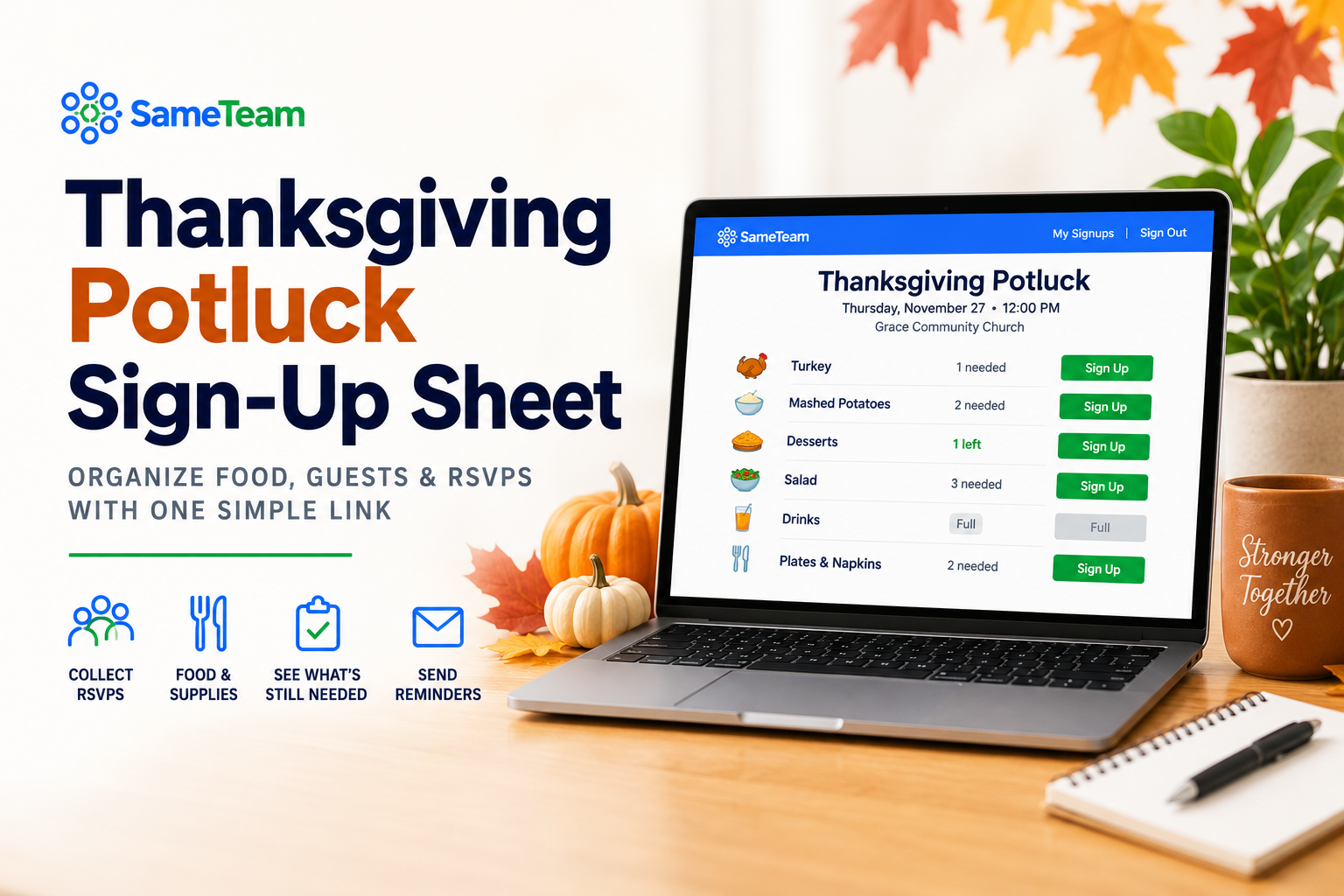
Instead of asking everyone to type whatever they plan to bring, create a list based on what your Thanksgiving meal actually needs.
This helps prevent duplicates while still giving guests plenty of choices.
- Turkey: 2 needed
- Mashed Potatoes: 2 needed
- Stuffing: 2 needed
- Vegetable Side: 3 needed
- Dinner Rolls: 3 needed
- Pie or Dessert: 4 needed
- Drinks: 3 needed
- Ice: 2 needed
- Plates, Napkins & Utensils: 2 needed
The exact categories will depend on your group. A family Thanksgiving may list specific dishes, while a large church or community potluck may use broader categories such as “Side Dish,” “Dessert,” or “Drinks” and allow several people to claim each one.
What Categories Should You Put on a Thanksgiving Potluck Signup?
A little structure can make a big difference. Start with the essentials, then customize your signup for your group.
🦃 Main Dishes
Turkey, ham, vegetarian main dishes, gravy, or other centerpiece foods.
🥔 Sides
Mashed potatoes, stuffing, sweet potatoes, macaroni and cheese, green bean casserole, vegetables, salads, and rolls.
🥧 Desserts
Pumpkin pie, apple pie, pecan pie, cookies, brownies, cakes, or other Thanksgiving desserts.
🥤 Drinks
Water, cider, tea, lemonade, soda, coffee, or whatever fits your gathering.
🍴 Supplies
Plates, napkins, cups, utensils, serving spoons, ice, containers for leftovers, tablecloths, or other supplies.
Don’t Forget the RSVP: Know Who’s Coming AND What They’re Bringing
A food signup solves only half of the Thanksgiving planning problem if you still don’t know how many people are attending.
For many Thanksgiving gatherings, it makes sense to combine your Thanksgiving RSVP and potluck signup in the same place.
Instead of sending one RSVP form and another potluck signup, guests can say whether they’re coming, include their party size, and choose what they’ll bring from the same Thanksgiving event page.
That can be especially useful for larger family gatherings, Friendsgiving celebrations, church Thanksgiving meals, school staff lunches, neighborhood potlucks, team dinners, and community events.
How to Create an Online Thanksgiving Potluck Signup
1. Decide Whether You Need RSVPs, Signups, or Both
If you already know who’s attending, you may only need a food signup. If you also need a headcount, combine your RSVP and potluck signup so guests can handle everything at once.
2. List the Food and Supplies You Need
Add your main dishes, sides, desserts, drinks, supplies, or other needs. Be as specific or flexible as your gathering requires.
3. Set How Many of Each Item You Need
Need four desserts but only one person to bring ice? Set a quantity for each item. As guests sign up, everyone can see what’s still needed and what’s already full.
4. Share One Link
Send your Thanksgiving potluck signup through text, email, a group chat, social media group, church or school communications, or a QR code.
5. Check What’s Still Needed Before Thanksgiving
A few days before the gathering, check your responses and look for any gaps. If desserts are covered but nobody claimed drinks, you’ll know exactly what still needs attention.
Create Your Thanksgiving Potluck Sign-Up with SameTeam
SameTeam’s online potluck signup gives organizers one simple place to collect food signups, supplies, RSVPs, or all three.
Guests open your event link in their browser, enter their information, and choose what they’re bringing. They don’t need to create a guest account or download an app just to respond.
- Potluck signups: Add food, drinks, supplies, or anything else people can bring.
- Signup quantities: Choose how many of each item you need.
- Remaining & Full status: Guests can see what’s still needed.
- RSVPs: Collect Yes, No, or Maybe responses when you need a headcount.
- Party size: See how many people each RSVP includes.
- Guest notes: Collect additional information with responses.
- One simple link: Share your event by text, email, group chat, or QR code.
- No guest accounts: Guests don’t have to create a SameTeam account to respond.
- No app download: Everything works from the browser.
- Personal update links: Guests can return to review or change their response later.
- Event reminders: Send reminders before your gathering.
- Ad-free guest experience: No third-party ads on your event page.
Organizing More Than One Event? Keep the Next One Simple, Too
Thanksgiving may be the event you’re organizing today, but many of the same groups that plan a Thanksgiving potluck are coordinating events throughout the year.
Churches have Christmas dinners, fellowship meals, picnics, outreach events, and volunteer needs. PTAs and schools organize teacher lunches, class celebrations, staff appreciation events, and family nights. Neighborhoods plan cookouts and holiday parties. Teams and community groups have banquets, meetings, meals, and other gatherings.
SameTeam isn’t limited to potlucks. Create RSVP-only events, signup-only events, or combine RSVPs and signups depending on what each event needs. So when Thanksgiving is over, your next event can live in the same organizer dashboard.
If you’re usually the person who somehow ends up organizing everything, you don’t have to start from scratch with a different tool every time.
Tips for a Smoother Thanksgiving Potluck 🍂
📋 Give people choices.
A signup works better when guests can see several useful options instead of everyone being asked to “bring something.”
🔢 Use quantities.
If you need three desserts, make three spots available instead of creating three separate dessert entries.
👨👩👧👦 Collect party size when it matters.
Knowing that 15 people RSVP’d isn’t enough if several are bringing spouses or children.
📝 Add helpful notes.
Include serving-size expectations, arrival details, dietary considerations, or other instructions guests should know.
🔔 Follow up before the event.
A reminder a few days before Thanksgiving can help everyone remember what they volunteered to bring.
Spend Less Time Coordinating and More Time Around the Table 🧡
A Thanksgiving potluck should bring people together — not leave one person sorting through texts to figure out who promised to bring the rolls.
Give everyone one easy place to RSVP, choose what they’re bringing, see what’s still needed, and update their plans if something changes.
You’ll have a clearer headcount, a more balanced table, and a much easier answer to the question, “Wait… who’s bringing dessert?”
🦃 Create Your Thanksgiving Potluck Signup
Organize RSVPs, food, drinks, and supplies from one simple link. No guest accounts, no app downloads, and no third-party ads.
Frequently Asked Questions ❓
How do I make a Thanksgiving potluck sign-up sheet?
Start by listing the food, drinks, and supplies your Thanksgiving gathering needs. Set how many people can claim each item or category, then share the signup link with your group. If you also need a headcount, combine your potluck signup with an RSVP.
What should I put on a Thanksgiving potluck sign-up sheet?
Common Thanksgiving potluck categories include turkey or other main dishes, mashed potatoes, stuffing, vegetable sides, salads, breads, desserts, drinks, ice, plates, cups, napkins, utensils, and serving supplies. Customize the list based on what your group actually needs.
Can I collect Thanksgiving RSVPs and potluck signups together?
Yes. With SameTeam, you can create an RSVP + Signup event so guests can respond Yes, No, or Maybe, include their party size, and choose food or supplies to bring from the same event.
Can guests sign up without creating an account?
Yes. SameTeam guests can respond to an event and choose signup items without creating a guest account or downloading an app. They receive a personal link afterward so they can review or update their response.
Can I limit how many people sign up to bring each item?
Yes. With SameTeam, organizers can set the quantity needed for individual signup items. Guests can see what’s still remaining and when an item is full.
Is SameTeam only for Thanksgiving potlucks?
No. SameTeam can be used throughout the year for potlucks, parties, church events, school and PTA events, neighborhood gatherings, team events, volunteer signups, community events, and other occasions that need RSVPs, signups, or both.