The Complete Potluck Planning Guide
Everything you need to organize a potluck people actually enjoy — from church dinners to office lunches, with checklists, timelines, and an easier way to track who’s bringing what.
🍽️ Every potluck starts with the best intentions.
“I’ll bring dessert!”
“I’ll grab drinks.”
“I’ve got the potato salad.”
Fast forward a week and somehow you’ve ended up with:
- 🍪 Six desserts
- 🥔 Three potato salads
- 🧊 No ice
- 🍴 No serving spoons
- 🤷 And at least one person texting, “What should I bring?” an hour before the event
Sound familiar?
If you’ve organized a potluck before, you already know the food was never really the hard part — the coordination was. The good news is that it doesn’t have to feel like herding cats. With a little structure, the right timeline, and a simple way for people to see what’s already been claimed, you can pull off an event that runs smoothly and actually feels fun to plan. That’s what this guide is for.
Whether you’re organizing a church potluck, a school or PTA potluck, an office lunch, or a neighborhood get-together, the process below will help you go from “where do I even start” to “that was easier than I expected.” For more planning resources like this one, check out our event planning resources.
- Why an online potluck signup beats a paper sheet
- Your potluck planning timeline
- The complete potluck checklist
- Common potluck mistakes to avoid
- Potluck food ideas by category
- Planning tips by potluck type
- Fun potluck themes to try
- Potluck etiquette: do’s and don’ts
- Why organizers love online signups
- Frequently asked questions
- Free printable checklist
Why an Online Potluck Signup Beats a Paper Sheet 📝
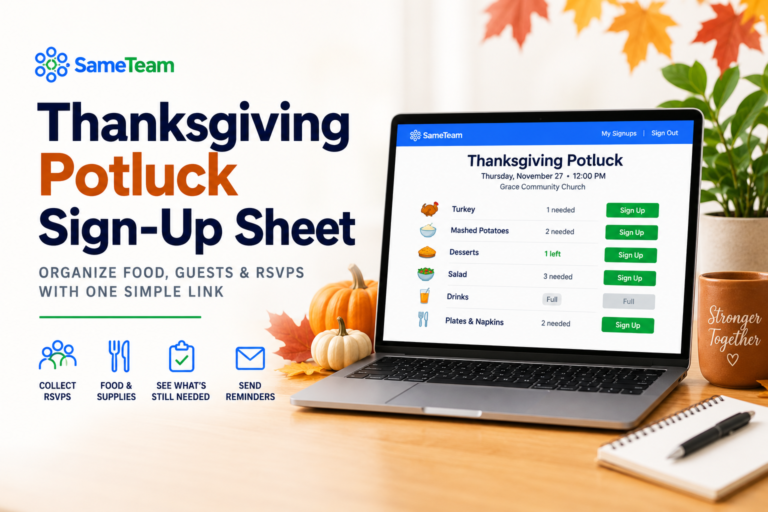
Most potluck disasters trace back to the same root cause: nobody could see what everyone else was bringing. A paper sign-up sheet taped to a bulletin board only works if every single guest walks by it, remembers to check it, and remembers to update it. In practice, that almost never happens — which is how you end up with five bags of chips and zero vegetables.
An online potluck signup solves this by giving everyone a live, shared view of the event. When someone claims “green salad,” it disappears from the list for everyone else in real time. No duplicate texts to the organizer, no guessing, no last-minute scramble.
Group your signup by category — mains, sides, desserts, drinks, and supplies — instead of a single open list. It naturally spreads people out and makes it obvious at a glance what’s still missing.
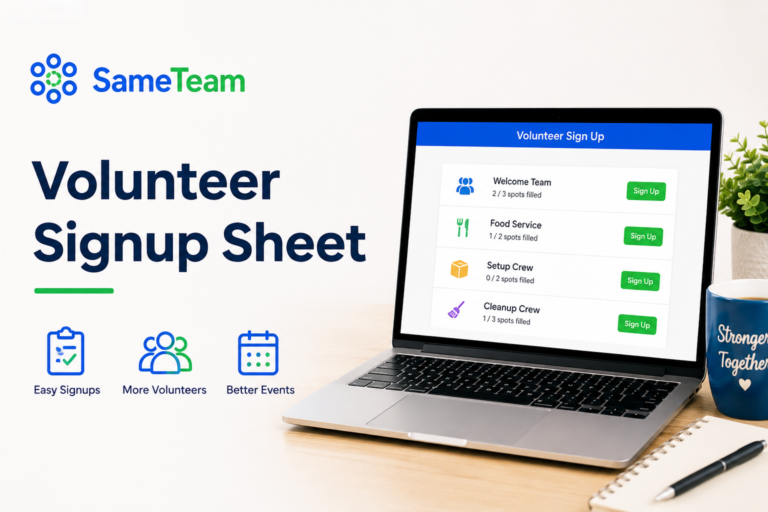
While you can certainly organize a potluck with a spreadsheet or a paper signup sheet, many organizers now prefer an online potluck signup because everyone can see updates instantly. That’s exactly what SameTeam was built for:
- Guests RSVP and claim a dish from one shared link
- The list updates in real time, so nobody has to double-check with a text
- No app download and no guest account required
Whether you’re planning for 15 guests or 150, organizing dishes by category ahead of time dramatically reduces duplicate items and last-minute changes compared to an open “bring anything” invite.
Your Potluck Planning Timeline 📅
Good potlucks aren’t planned the night before. They’re planned in layers, starting a couple of weeks out. Here’s a timeline that works for almost any size of event, from a dozen people to a couple hundred.
Before
Lock the basics and send invites
- Confirm the date, time, and location
- Decide on a theme or category structure (mains, sides, desserts, drinks)
- Set up your signup sheet and share the link or invite
- Note any dietary restrictions you already know about
Before
Fill the gaps
- Check the signup list for empty categories
- Personally ask a few people to fill missing slots (mains and sides tend to run short)
- Confirm who’s bringing serving utensils, plates, napkins, and drinks
- Send a friendly reminder to anyone who RSVP’d but hasn’t picked a dish
Before
Confirm and prep
- Send a final reminder with the time, address, and parking info
- Double-check the venue: tables, chairs, outlets for crockpots, fridge space
- Print or save the final dish list so you’re not relying on memory
- Pack serving spoons, labels, and a couple of extra folding tables if needed
Day
Set up and enjoy it
- Arrive early to set up the serving table by category
- Label dishes, especially anything with common allergens
- Keep a small “extras” bin for anyone who forgot something
- Actually relax — this is the part you planned for
Waiting until three days before to send the signup link. Give people at least 10–14 days — most guests decide what to bring based on what’s already claimed, so an early start naturally spreads out the categories.
The Complete Potluck Checklist ✅
Use this as your master potluck checklist — copy it into your notes app or print it out and check items off as you go.
- ✅ Date, time, and location confirmed
- ✅ Signup sheet created and shared with all guests
- ✅ Categories balanced (mains, sides, desserts, drinks, supplies)
- ✅ Dietary restrictions collected and noted
- ✅ Reminder sent one week out
- ✅ Final reminder sent the day before
- ✅ Plates, napkins, cups, and utensils
- ✅ Serving spoons and tongs for each dish
- ✅ Labels or index cards for dish names and allergens
- ✅ Extra folding table or two, if space is tight
- ✅ Trash bags and a spot for recycling
- ✅ A cooler or extra fridge space for anything that needs to stay cold
According to common event-planning best practices, organizing food by category instead of asking guests to “bring anything” produces a much more balanced meal — and cuts down on the awkward moment when three people show up with the same dish.
Common Potluck Mistakes to Avoid ⚠️
Most potluck problems are predictable, which means they’re also avoidable. Here are the ones that come up again and again.
Without categories, people default to the easiest option — usually a bag of chips or a store-bought dessert. You end up with plenty of snacks and no actual dinner.
A group text or paper sheet makes it nearly impossible for guests to see what’s already been claimed. This is the single biggest reason online potluck sign ups have become so popular — the list updates the moment someone picks a dish.
Even a casual potluck benefits from knowing who’s vegetarian, gluten-free, or managing allergies. Add a simple note field to your signup so guests can flag this when they RSVP.
People forget. A quick reminder two or three days out — with the dish they signed up for included — dramatically cuts down on no-shows and forgotten sides.
Potluck Food Ideas by Category 🥗
If you’re stuck on what to bring — or want to suggest ideas to guests who ask “what should I make?” — this table is a good starting point.
| Category | Easy Crowd-Pleasers | Great For |
|---|---|---|
| Mains | Baked ziti, pulled pork, fried chicken, chili | Church potlucks, office lunches |
| Sides | Green salad, mac and cheese, roasted vegetables, rice pilaf | Any potluck size |
| Desserts | Brownies, fruit salad, cookies, cobbler | School events, holiday gatherings |
| Drinks | Lemonade, iced tea, sparkling water, coffee | Family and neighborhood events |
| Holiday Specific | Stuffing, sweet potato casserole, green bean casserole | Thanksgiving and Christmas potlucks |
If your signup shows categories that are already full, guests naturally gravitate toward the empty ones. This alone can save you from ending up with six desserts and one vegetable dish.
Planning Tips by Potluck Type 🎯
Church Potlucks 🍞
Church potlucks tend to be recurring, which makes a potluck sign up especially useful — you can reuse the same event structure month after month instead of recreating a sign-up sheet from scratch. Since church groups often span multiple generations, keep the signup simple enough for anyone to use, and consider a “supplies” category for coffee, folding tables, and cleanup volunteers.
Office Potlucks 💼
Office potlucks work best with clear categories and a deadline, since people are busy and will often forget until the morning of. A shared link in a team channel, with a reminder the day before, solves most of the coordination problem. Keep it simple: 3–4 categories is usually enough for a team lunch.
School and PTA Potlucks 🎒
School potlucks usually involve dozens of families who don’t all know each other, which makes a visible, real-time signup even more valuable — parents can see at a glance what’s covered without needing to ask the PTA coordinator directly. It also helps reduce the email back-and-forth that so often comes with school events.
Thanksgiving and Holiday Potlucks 🦃
Holiday potlucks come with the highest expectations and the most opinions about “the right way” to make stuffing. Assign the traditional dishes early (turkey, stuffing, mashed potatoes) so there’s no last-minute overlap, and leave more flexible categories, like appetizers or drinks, open for guests to choose freely.
Neighborhood and Community Potlucks 🏘️
These events often have the widest range of guests, from families to retirees to college students, so variety matters. A signup with clear categories and short notes (“nut-free,” “vegetarian”) helps everyone feel included without extra effort from the organizer.
Fun Potluck Themes to Try 🎉
If your group has done the standard potluck a few times already, a theme can make planning easier (and eating more fun). Here are some of the most popular ones:
Everyone brings a topping, protein, or side — endless combinations, minimal planning.
Guests bring their own pot of chili and guests vote on a favorite. Great for fall events.
Pancakes, casseroles, and fruit — a fun twist for morning meetings or weekend gatherings.
Perfect for winter get-togethers — pair with a bread or cornbread signup category.
Split the signup into grilled mains, sides, and desserts for an easy summer event.
Guests bring a dish from a country or culture of their choice — a favorite for diverse communities.
Potluck Etiquette: Do’s and Don’ts 🎉
| Do | Don’t |
|---|---|
| Sign up early so others can plan around you | Wait until the day of to decide what you’re bringing |
| Label your dish, especially if it contains common allergens | Assume everyone knows what’s in your casserole |
| Bring a serving utensil with your dish | Leave the host scrambling for extra spoons |
| Stick to the category or dish you signed up for | Swap it last-minute without updating the signup |
| Offer to help with setup or cleanup | Disappear the moment the food is served |
Why Organizers Love Online Potluck Signups ❤️
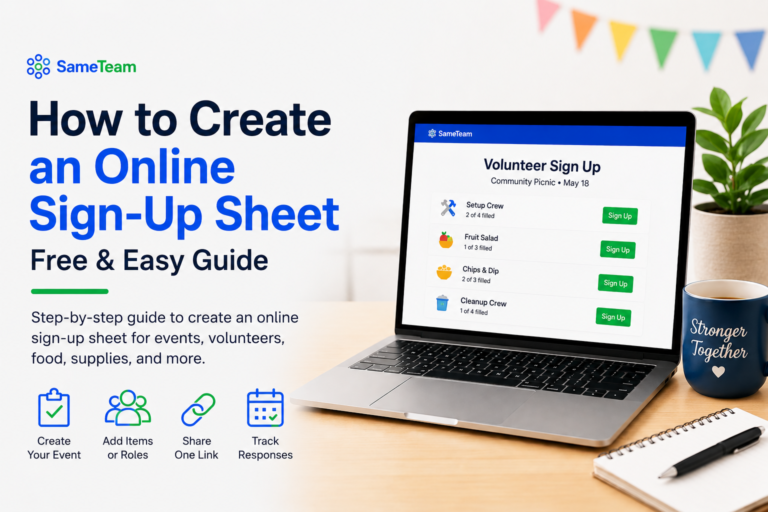
Instead of juggling endless group texts, a paper signup sheet, and a spreadsheet nobody remembers to update, an online potluck sign up simplifies the whole process down to three steps:
- ✅ Create your event
- ✅ Share one link
- ✅ Watch responses update automatically
Guests don’t need to download an app. They don’t need to create an account. They simply choose what they’re bringing, and the list updates for everyone instantly.
🎉 Ready to plan your next potluck without the group-text chaos?
SameTeam lets you create a free online potluck signup in minutes — guests RSVP, claim a dish, and see the list update in real time. No app downloads, no guest accounts, no ads.
Frequently Asked Questions ❓
How far in advance should I send a potluck signup?
Send it 10–14 days before the event. This gives guests enough time to see what’s already claimed and choose a category that still needs coverage, rather than everyone defaulting to the same easy dish.
How much food do I need for a potluck?
A general rule is one main-ish serving and one side per guest, plus a little extra. If you have 20 guests across 4 categories, aim for roughly 5–6 dishes per category to avoid both shortages and excess.
What’s the best way to organize a potluck sign-up sheet?
Group it by category (mains, sides, desserts, drinks, supplies) rather than a single open list. A potluck sign up sheet online makes this even easier, since guests can see exactly what’s already claimed in each category without contacting the organizer.
Do I need an app to run an online potluck signup?
No. Tools like SameTeam work entirely in the browser — you share a link, and guests can RSVP or claim a dish without creating an account or downloading anything.
How do I handle dietary restrictions at a potluck?
Add a short note field to your signup where guests can flag allergies or preferences (vegetarian, gluten-free, nut-free) when they RSVP. Encourage everyone to label their dish at the event too.
What if someone signs up but doesn’t show up?
Keep a small backup plan, like a few extra store-bought items on hand, or ask one or two guests to bring “flexible” dishes that can cover a gap. A quick reminder the day before also cuts down on no-shows significantly.
How many dishes should I plan for 30 guests?
A good rule of thumb is one dish per 4–5 guests, split across categories. For 30 guests, that’s roughly 6–8 dishes total — for example, 2–3 mains, 2–3 sides, 2 desserts, and a couple of drink or supply items.
Should drinks be assigned to specific people?
It helps to assign at least one or two people to drinks, since they’re easy to forget when everyone’s focused on food. A dedicated “drinks” category on your signup keeps it from falling through the cracks.
Can multiple people bring the same dish?
They can, but it’s usually not the goal. Duplicate dishes are one of the most common potluck complaints, and a potluck sign up helps avoid it by showing guests exactly what’s already been claimed before they choose.
What should someone bring if they don’t cook?
Store-bought is always fine. Drinks, ice, paper products, bread, or a pre-made veggie or fruit tray are all easy, no-cook contributions that are genuinely useful to the host.
What are the best potluck desserts?
Desserts that travel well and don’t need last-minute assembly tend to work best — think brownies, cookies, bar desserts, and fruit salad. Anything that needs to be sliced or plated at the last minute adds stress for the organizer.
Should I label food allergens on each dish?
Yes — a simple index card noting common allergens (nuts, dairy, gluten) next to each dish takes seconds to set up and gives guests with dietary restrictions the confidence to serve themselves safely.
📌 Free Potluck Planning Checklist ✅
Save or screenshot this quick-reference version to keep on hand while you plan.
📌 Free Potluck Planning Checklist
- ✅ Pick a date
- ✅ Create categories
- ✅ Share signup
- ✅ Check responses
- ✅ Send reminder
- ✅ Label dishes
- ✅ Enjoy!
However you’re planning your next potluck — a small church dinner or a 100-person community event — the same principle holds: give people visibility into what’s already been claimed, start early, and keep it simple. That’s really all it takes to go from “who’s bringing what?” to a potluck that runs itself. 🍽️