🎃 TRUNK OR TREAT PLANNING
Trunk or Treat Sign-Up Sheet: Organize Volunteers, Trunks & Supplies
Keep decorated trunks, volunteers, candy, activities, and event supplies organized with one simple online signup.
🎃 Updated for Halloween 2026
A Trunk or Treat sign-up sheet gives everyone one place to volunteer, register a decorated trunk, bring candy or supplies, and help with the many jobs that make the event happen.
Whether you’re planning a Trunk or Treat for a church, school, PTA or PTO, neighborhood, or community organization, there are usually a lot more moving pieces than simply finding people willing to decorate their cars.
You may need 25 decorated trunks. Someone needs to run check-in. Volunteers may be needed for games, parking, setup, and cleanup. Then there are tables, signs, extension cords, candy, decorations, and all the little supplies that are easy to forget.
Instead of coordinating everything through separate emails, group texts, paper lists, and spreadsheets, an online Trunk or Treat signup can keep the entire volunteer plan in one place.
- Decorated trunks
- Setup and cleanup volunteers
- Welcome and check-in volunteers
- Parking and traffic helpers
- Game and activity stations
- Candy donations
- Tables, decorations, signs, and other supplies
- Event RSVPs and party size if you also need an attendance estimate
Why Use an Online Trunk or Treat Sign-Up Sheet? 🍭
Trunk or Treat events often depend on a lot of people doing a lot of different things.
That’s where a general call for volunteers can get complicated. Twenty people might say, “I can help!” — but you still need to figure out who is decorating a trunk, who is helping with parking, who is running a game, and whether anyone volunteered for cleanup.
A structured Trunk or Treat volunteer signup lets you decide what you need before sharing the event. Volunteers can then choose a specific role or item, and the organizer can see which spots are covered and which still need help.
- List the volunteer roles, trunks, and supplies you need
- Set the number of volunteers needed for each role
- Let people choose how they want to help
- Show when a volunteer role or signup item is full
- See what’s still needed at a glance
- Collect RSVPs too, if your event needs a headcount
- Send reminders before the event
- Keep everything organized in one place
Trunk or Treat Sign-Up Sheet Ideas 🎃
Start by thinking through the event from setup to cleanup. Then create signup spots for the jobs, trunks, and supplies your group actually needs.
Your list will depend on the size and format of your event, but here’s an example for a medium-sized Trunk or Treat:
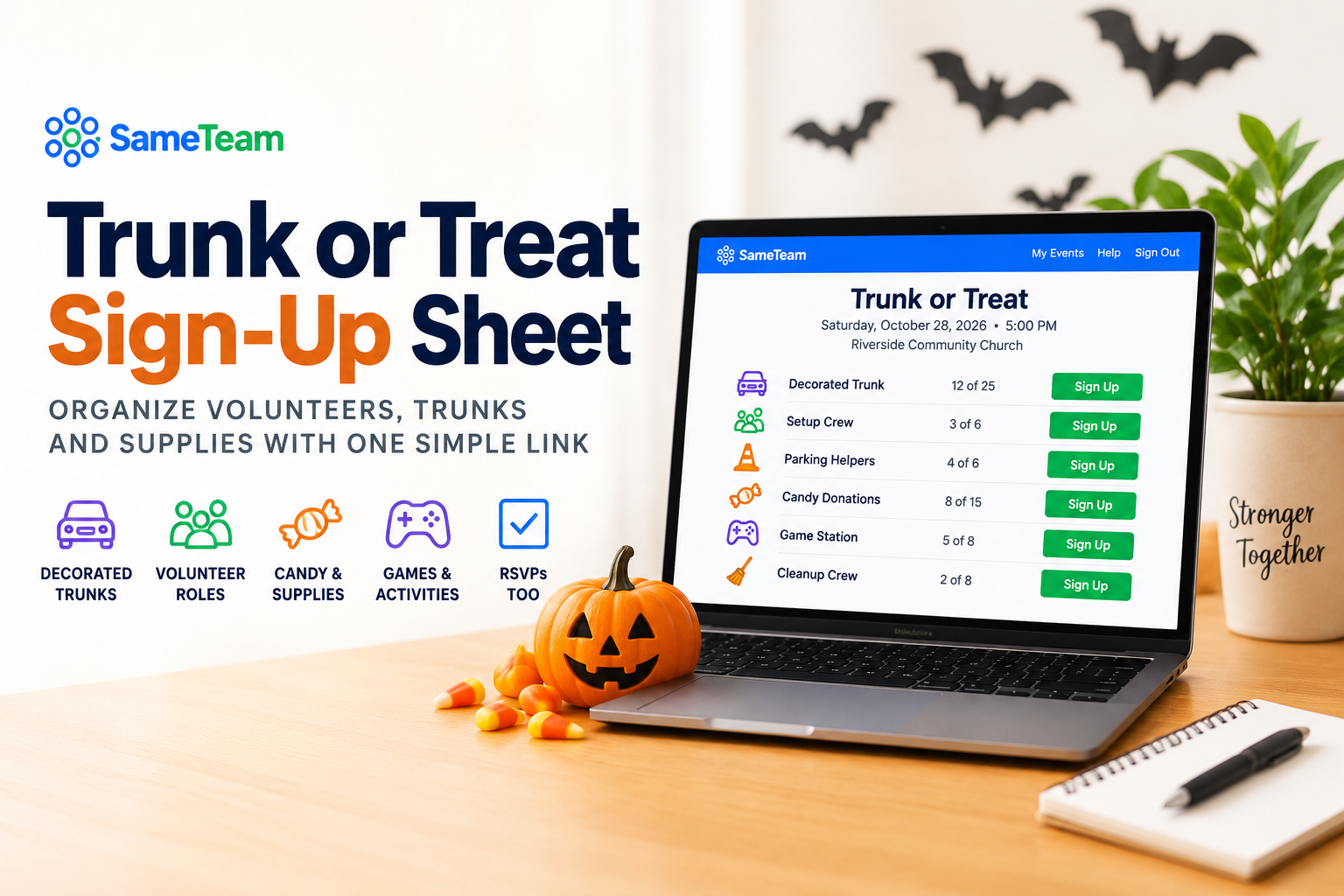
- Decorated Trunks: 25 needed
- Event Setup: 6 volunteers
- Welcome & Check-In: 4 volunteers
- Parking Helpers: 6 volunteers
- Game Stations: 8 volunteers
- Candy Donations: 15 needed
- Extra Decorations: 5 needed
- Photography: 1 volunteer
- Event Cleanup: 8 volunteers
A smaller school event may only need trunks, candy, and a few volunteers. A large church or community Trunk or Treat may need dozens of trunks plus separate teams for parking, activities, food, safety, setup, and cleanup.
What Should You Put on a Trunk or Treat Sign-Up Sheet?
Breaking your signup into a few simple categories can make it easier for volunteers to find a way to participate.
🚗 Decorated Trunks
Create a set number of trunk spots so you know when you have enough participating vehicles. Include any arrival, decorating, or setup instructions trunk hosts need to know.
🙋 Volunteers
Setup, cleanup, check-in, parking, traffic flow, welcome teams, photographers, floaters, food service, and other event-day helpers.
🎯 Games & Activities
Add spots for people to lead carnival games, crafts, inflatables, face painting, contests, or other activities your event offers.
🍬 Candy & Treats
Ask for candy or treat donations if your organization provides extras for trunk hosts or distributes candy from central stations.
📦 Event Supplies
Tables, chairs, signs, tablecloths, decorations, extension cords, coolers, bottled water, trash bags, or other supplies needed for your particular event.
Set the Right Number of Spots for Each Role
One of the most useful things about an organized Trunk or Treat signup is being able to specify exactly how much help you need.
If your parking lot can hold 30 decorated trunks, create 30 trunk spots. If you need four people at check-in, set that role to four. If cleanup needs eight volunteers, make eight spots available.
As people claim signup spots, you can see how many are still needed. Once all available spots for an item or role are claimed, it can show as full.
Do You Need RSVPs for a Trunk or Treat?
Not every Trunk or Treat needs RSVPs. Some organizations keep attendance completely open and only need a volunteer signup.
But if you’re planning for food, parking, supplies, or a maximum number of attendees, collecting RSVPs can give you a much better idea of how many people to expect.
If you need both attendance responses and volunteers, you can combine your Trunk or Treat RSVP and signup. People can RSVP, include their party size, and choose a volunteer role or item from the same event.
How to Create an Online Trunk or Treat Signup
1. Make a List of Everything You Need
Start with decorated trunks, then work through volunteer roles, activities, candy, and supplies. Think about setup and cleanup too — those are easy jobs to overlook.
2. Decide How Many Spots Each Role Needs
Set quantities based on your event. You might need 30 trunks, six parking volunteers, four check-in helpers, and eight cleanup volunteers.
3. Add Helpful Instructions
Tell trunk hosts when to arrive, where to park, when decorating should be complete, and anything they need to bring. Add role-specific details for other volunteers too.
4. Share One Signup Link
Share your signup through your church email, school newsletter, PTA communications, group text, social media page, website, bulletin, or QR code.
5. Check the Gaps and Send a Reminder
As the event gets closer, look at what’s still needed. If all your trunks are covered but cleanup still needs five people, you know exactly where to focus your final volunteer request.
Create Your Trunk or Treat Sign-Up with SameTeam
SameTeam’s volunteer signup software lets you create one simple online signup for the trunks, volunteers, activities, and supplies your event needs.
Volunteers open your event link in their browser and choose how they’d like to help. They don’t need to create a guest account or download an app just to sign up.
- Volunteer roles: Add decorated trunks, setup, cleanup, parking, games, check-in, or other needs.
- Signup quantities: Choose exactly how many people or items you need.
- Remaining & Full status: Make it easy to see which spots still need help.
- Supplies: Collect candy, decorations, tables, or other event items.
- RSVPs: Add Yes, No, or Maybe responses when you need an attendance estimate.
- Party size: See how many people each RSVP includes.
- One simple link: Share your event anywhere you already communicate.
- No guest accounts: Volunteers don’t need to create a SameTeam account.
- No app download: Everything works from the browser.
- Personal update links: Participants can review or change their response later.
- Event reminders: Send reminders before the event.
- Ad-free guest experience: No third-party ads on your event page.
Tips for a Smoother Trunk or Treat Signup 👻
🚗 Set a clear limit for trunks.
Decide how many decorated vehicles your space can accommodate before opening the signup.
🕒 Include arrival times.
Trunk hosts and setup volunteers usually need to arrive well before families do. Put those details directly in the event information.
📋 Be specific about volunteer jobs.
“Parking — 6 needed” is much easier to act on than a general request for event volunteers.
🧹 Don’t forget cleanup.
It’s one of the easiest roles to overlook when building your initial volunteer list.
🔔 Send a reminder.
Remind volunteers of their role, arrival time, and anything they agreed to bring before event day.
Spend Less Time Chasing Volunteers and More Time Enjoying the Event 🎃
A great Trunk or Treat takes a lot of people working together — but organizing those people doesn’t have to mean juggling spreadsheets, paper lists, email replies, and group texts.
Give your group one easy place to decorate a trunk, volunteer for a role, contribute supplies, and see what’s still needed.
You’ll know what’s covered before event day — and you’ll have a much easier answer when someone asks, “Do we still need volunteers?”
🎃 Create Your Trunk or Treat Signup
Organize trunks, volunteers, supplies, and RSVPs from one simple link. No guest accounts, no app downloads, and no third-party ads.
Frequently Asked Questions ❓
How do I make a Trunk or Treat sign-up sheet?
Start by listing the decorated trunks, volunteer roles, activities, candy, and supplies your event needs. Decide how many spots are available for each, add helpful instructions, and share one signup link with your church, school, PTA, neighborhood, or community group.
What volunteer jobs do you need for a Trunk or Treat?
Common Trunk or Treat volunteer roles include decorated trunk hosts, setup and cleanup crews, check-in volunteers, parking helpers, game or activity leaders, photographers, food helpers, and general event volunteers. The exact roles depend on the size and activities at your event.
How many trunks should a Trunk or Treat have?
There isn’t one ideal number. Choose a number based on your expected attendance, available parking space, event layout, and how many trunk hosts your organization can reasonably support. Setting a specific number of signup spots makes it easy to stop recruiting once your goal is reached.
Can I use one signup for Trunk or Treat volunteers and supplies?
Yes. With SameTeam, the same event can include volunteer roles and items people can contribute, so your group can sign up for trunks, volunteer jobs, candy, decorations, or other supplies from one place.
Can I collect RSVPs and Trunk or Treat volunteer signups together?
Yes. With SameTeam, you can create an RSVP + Signup event so participants can RSVP, include their party size, and choose a volunteer role or signup item from the same event.
Do volunteers need an account to sign up with SameTeam?
No. SameTeam participants can respond and choose signup items without creating a guest account or downloading an app. They receive a personal link so they can review or update their response later.