VBS Volunteer Sign-Up Sheet: How to Recruit and Schedule Your Team
Fill every Vacation Bible School role, collect snacks and supplies, and build a volunteer plan your church can use again.
A VBS volunteer sign-up sheet gives your church one place to see every role, every shift, and every supply you still need for Vacation Bible School.
If you have ever led VBS, you know the list grows quickly. You need group leaders, a craft team, games, snacks, music, check-in, and people who will stay after to stack chairs. Then a family goes on vacation, and you are back to texting for help.
As someone who teaches children’s ministry at my own church, I know how important dependable volunteers are. Whether you’re organizing a Sunday morning class or a weeklong Vacation Bible School, clear communication and simple signups can make coordinating a team much easier.
This guide walks through the roles to include, when to start, how to set up your sign-up, and how to use the same approach for the other events on your church calendar.
- Each role, with a short description of what the person will do
- The dates and times for every shift
- How many people you need for each role
- Snacks, craft supplies, and other items people can donate
- A name and email for each volunteer
- A way for volunteers to change their signup if plans change
When to Start Recruiting VBS Volunteers
Start planning as early as you can, especially if your VBS is in June. Many leaders are asked to commit to summer plans in the spring, and families fill their calendars quickly.
| Timing | What to do |
|---|---|
| January–February | Confirm your dates, theme, and key leaders. List every role you will need. |
| March | Create your sign-up. Share it with returning volunteers first, then the whole church. |
| April–May | Make personal invitations for open roles. Add snacks and supplies to the sign-up. |
| Two to four weeks before | Confirm coverage, complete any training your church requires, and share details with your team. |
| The week before | Send a reminder with arrival times, room assignments, and what to bring. |
| After VBS | Thank your volunteers, write down what worked, and save your plan for next year. |
If your VBS is later in the summer, shift these steps a month or two. The order matters more than the exact dates.
VBS Volunteer Roles to Include
Your list will depend on the size of your church and your curriculum. These are the roles most churches can start with.
| Area | Roles to consider |
|---|---|
| Leadership | VBS director, assistant director, volunteer coordinator |
| Groups | Group leaders, assistant leaders, teen helpers |
| Stations | Bible story, crafts, games, music, science or missions |
| Snacks | Snack prep, serving, cleanup |
| Arrival and dismissal | Check-in, greeters, dismissal helpers |
| Production | Sound, slides, photos, and video |
| Support | Decorating, setup, teardown, runners, first aid |
If your tech team also serves on Sunday mornings, our church tech team volunteer signup guide has ideas for organizing sound, slides, and cameras.
“Craft helper” can sound vague. “Help kids with a simple craft for one hour each morning. No experience needed.” helps someone picture saying yes.
How Many VBS Volunteers Do You Need?
There is no single right number. Start with the number of groups you expect, then count the adults each group needs under your church’s child safety policy.
For example, if you plan six groups with two adult leaders each, you need 12 group leaders. Add your station leaders, check-in team, snack team, and a few floaters who can step in when someone is sick.
Follow your church’s policy for adult-to-child ratios, background checks, and teen helpers. Those decisions come first, and your sign-up should reflect them.
How to Build Your VBS Volunteer Sign-Up
- Create one event for VBS. Add the dates, location, and a short welcome message.
- Group your needs. Use categories such as Group Leaders, Stations, Snacks, and Setup so people can scan the list quickly.
- Add each role. Include the number of people needed and a short description.
- Add dates and times. Create a separate role or shift for each day that needs its own coverage. Those start and end times also let Organizer and Pro subscribers include calculated scheduled volunteer hours when they download their Responses CSV.
- Add donated items. Put crackers, juice boxes, glue sticks, and other supplies in the same event.
- Share one link. Use it in your bulletin, church email, slides, and a QR code in the lobby.
- Watch what is still needed. Use your open roles to decide who to ask personally.
Some volunteers can only help one day, and others can serve all week. Daily shifts make it easier for both groups to say yes.
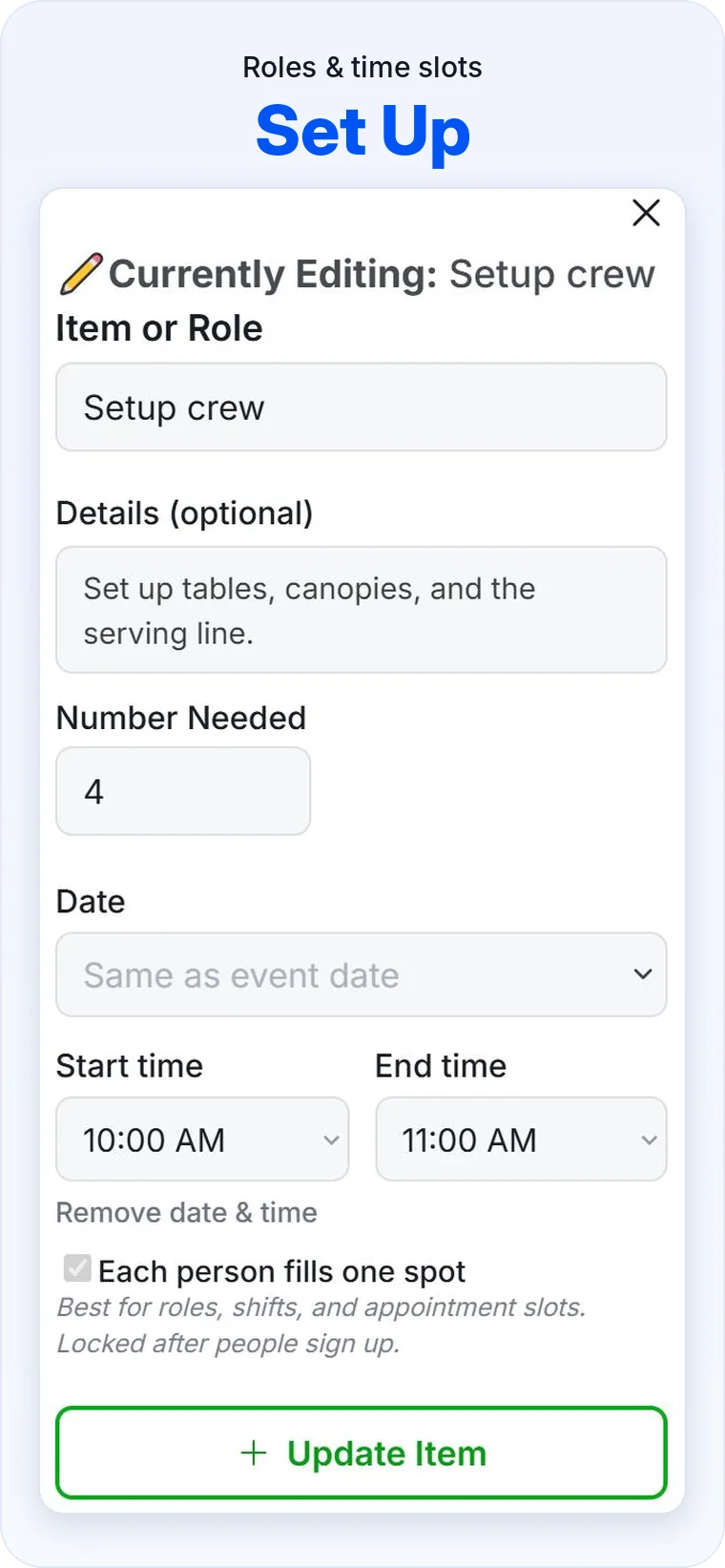
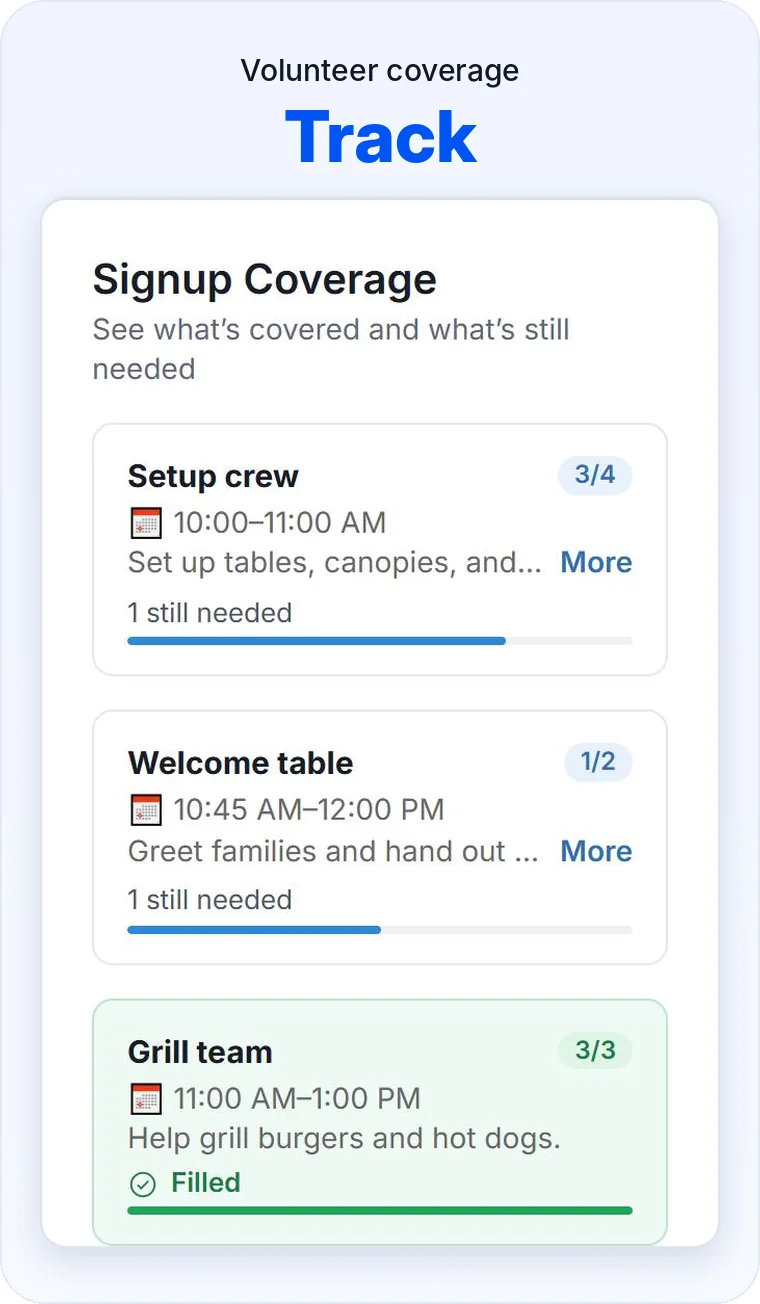
Sample VBS Volunteer Sign-Up
Here is a simple example for a five-day VBS that runs from 9:00 AM to 12:00 PM. Adjust the numbers for your church.
How to Get More People to Say Yes
- Ask personally first. A direct invitation from someone they know often works better than a general announcement.
- Offer smaller commitments. One morning of snack help may be possible for someone who cannot serve all week.
- Invite returning volunteers early. Let them choose their favorite roles before you announce it widely.
- Make signing up easy. Put the QR code in the bulletin, on the screen, and at the children’s ministry check-in desk.
- Share what is still needed. “We need two more game helpers on Thursday” is easier to act on than “We need volunteers.”
- Include people who cannot attend. Someone may not be able to serve that week but can still donate snacks or supplies.
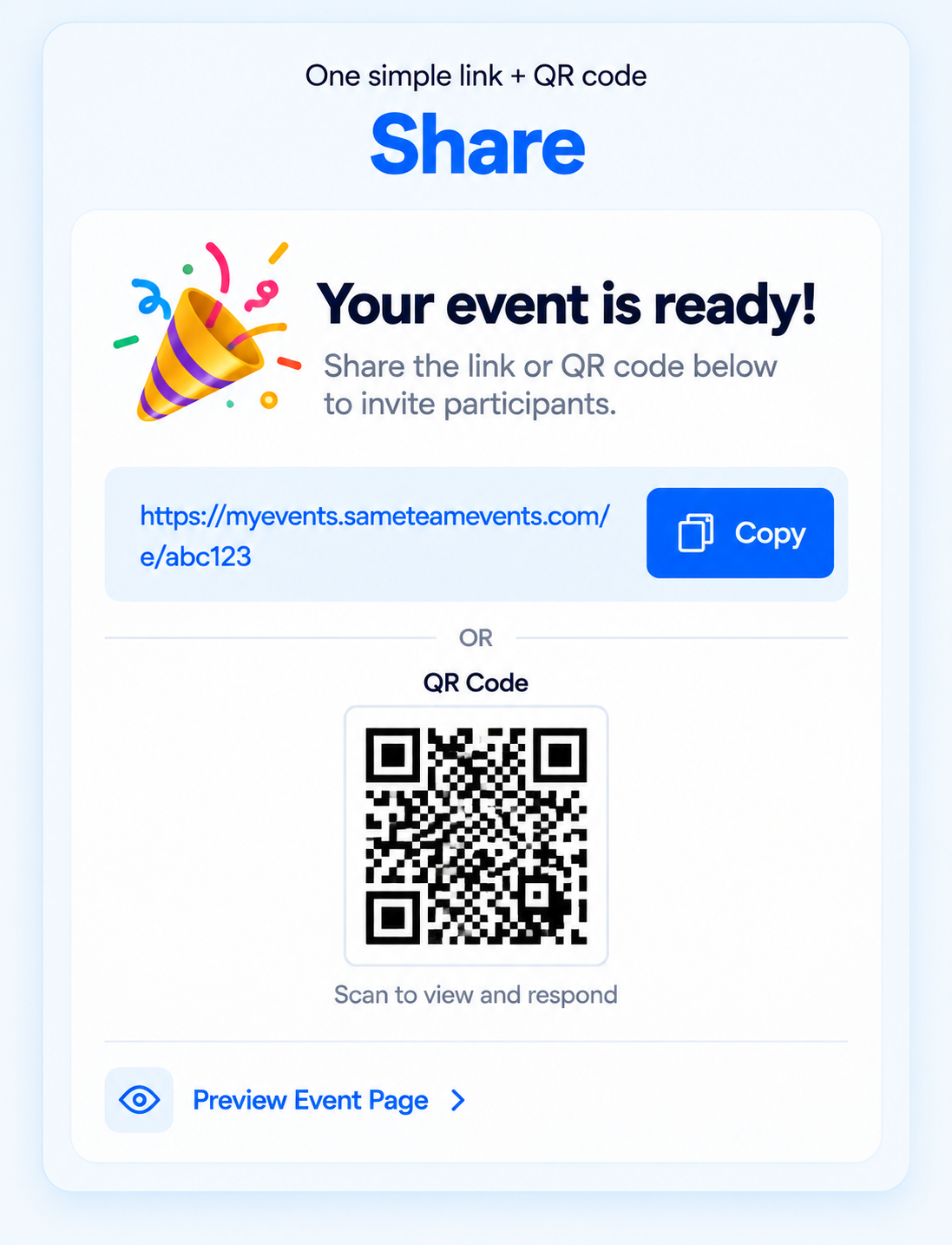
Using SameTeam for Your VBS Sign-Up
SameTeam lets you put volunteer roles, shifts, snacks, and supplies in one event with one shareable link and QR code. Volunteers do not need an account or app.
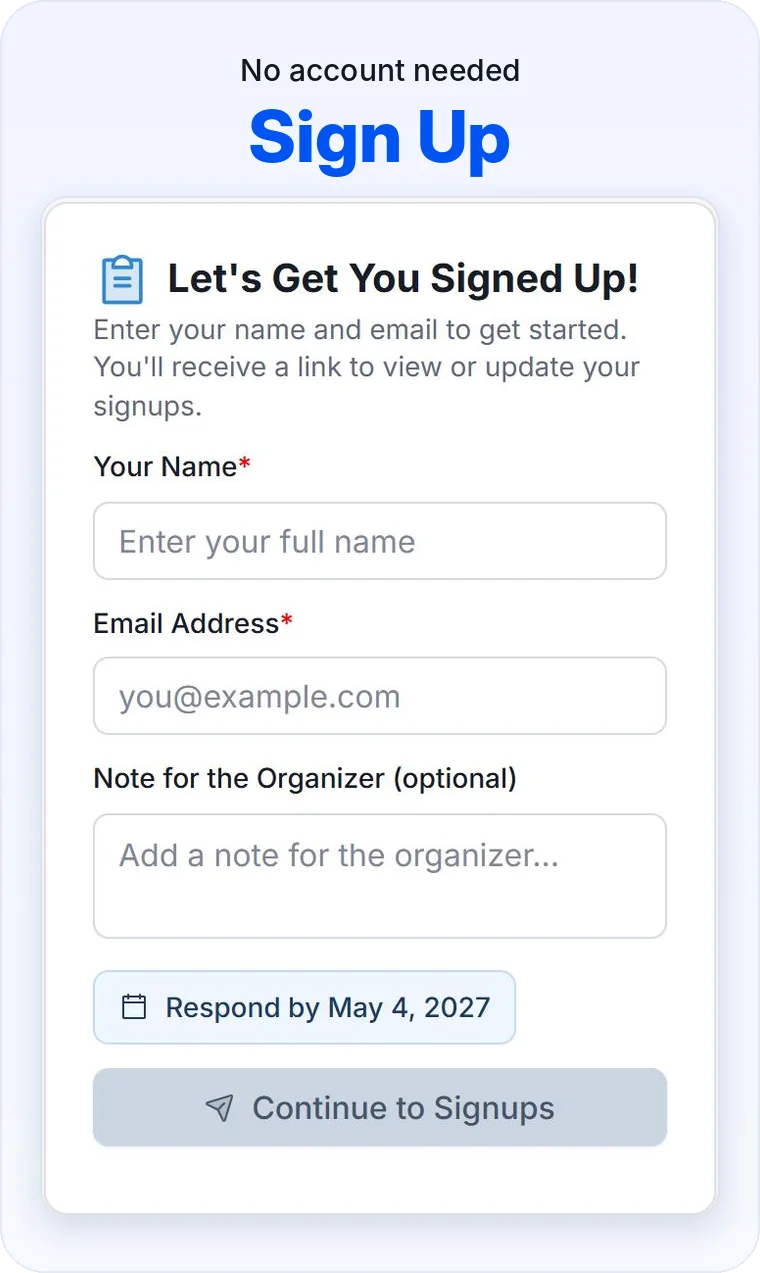
- Volunteers choose what fits. They can see which roles and items are still open.
- Each person gets a personal link. They can return to see what they signed up for and make changes.
- You can see coverage at a glance. Your dashboard shows what is filled and what is still needed.
- You can send an email reminder. Send it from your dashboard to the people participating in the event.
- You can keep a record of scheduled hours. Organizer and Pro subscribers can choose to include scheduled volunteer hours in their Responses CSV, calculated from eligible signup start and end times.
- Pro Event Hub volunteers can print their own summary. Through My Signups, they can select their eligible shifts, see their total scheduled hours, and print or save a report as a PDF, with no guest account or app download. That can be handy for a teen helper keeping a personal record of the time they signed up to serve.
SameTeam does not run background checks, collect payments, or replace your church’s child registration and safety forms. Keep using the process your church has approved for those needs.
Create your first event free and see how it works for your team.
One VBS Is Just the Start: Plan Your Whole Church Year
VBS is often the biggest volunteer event of the year, but it is rarely the only one. The same people who lead VBS may also help with Trunk or Treat, the Christmas program, and the next church potluck.
| Time of year | Church event | What you may need to coordinate |
|---|---|---|
| Spring | Easter egg hunt or Good Friday meal | Volunteers, candy, food, setup |
| Summer | Vacation Bible School | Leaders, shifts, snacks, supplies |
| Fall | Trunk or Treat | Decorated trunks, volunteers, candy |
| Fall | Church potlucks | RSVPs, dishes, setup, cleanup |
| Winter | Christmas events | Volunteers, meals, gifts, supplies |
When these live in separate paper lists and text threads, you start over every time. Keeping them in one place makes it easier to see what you have planned and reuse what worked.
In SameTeam, you can duplicate an event to keep its roles and signup items, then add the new dates. That means next year’s VBS can start from this year’s list instead of a blank page.
Your first event is free. For churches that run more events through the year, plans start at $12/month, billed annually, with unlimited events. If several ministry leaders manage events together, the Pro plan includes up to 25 admins and Event Hubs, so your church can share one link that lists its upcoming events. See how SameTeam works for churches.
After VBS, write down which roles were hard to fill, how many snacks you actually used, and who wants to serve again. Those notes are easy to lose, and they make next year much easier.
Planning more than the volunteer list? Our church event planning checklist covers budgets, promotion, and day-of details.
Frequently Asked Questions
When should we start recruiting VBS volunteers?
Many churches begin planning in January or February and open volunteer signups in the spring. Start earlier if your VBS is in early June or if you need to complete background checks or training first.
Can teens serve as VBS helpers?
Many churches welcome teen helpers, especially in games, crafts, and music. Follow your church’s policy, and pair teens with adult leaders.
What should we do if VBS volunteer spots stay empty?
Look at the open roles and ask specific people. You can also split a weeklong role into daily shifts, combine small groups, or simplify a station. Avoid leaving a key role to the last minute.
Can we use one sign-up for volunteers and snacks?
Yes. With SameTeam, one event can include volunteer roles, shifts, snacks, and supplies, so people can choose how they want to help from one link.
Do volunteers need an account to sign up with SameTeam?
No. Volunteers can respond without creating a guest account or downloading an app. They receive a personal link so they can review or update their signup later.
Can we use SameTeam to register children for VBS?
SameTeam can collect RSVPs and signups, but it is not a child registration system. Use your church’s approved process for medical details, allergies, pickup permissions, and consent forms.
Can we reuse our VBS sign-up next year?
Yes. You can duplicate your SameTeam event to keep the roles and signup items. Then add the new dates and times for next year.
Can we track VBS volunteer hours?
Yes, as scheduled hours. Organizer and Pro subscribers can choose to include scheduled volunteer hours in their Responses CSV, calculated from eligible signup start and end times. With Pro, volunteers who use My Signups through your Event Hub can also select their eligible shifts, see their total scheduled hours, and print or save their own report as a PDF. Volunteer-hours reporting isn’t included with the free first event. These totals show the time people signed up to serve, not verified attendance, so keep using your church’s own process if you need to confirm who actually served.
Create your VBS sign-up, share one link, and see what you still need.