How to Choose the Best PTA & PTO Signup Tool
Planning a school event sounds simple until you are trying to collect RSVPs, fill volunteer spots, track donated supplies, answer parent questions, and keep everything organized across texts, emails, paper forms, and group chats.
The best PTA signup tool depends on what your group needs to manage. For some events, a simple list is enough. For others, your PTA or PTO may need one place for RSVPs, volunteer shifts, and supplies.
This guide explains what to look for, compares common options, and shows how to set up volunteer shifts, class parties, teacher appreciation, and other school events.
Quick answer: A free form or signup sheet may be enough for one simple list. If you want RSVPs, volunteer shifts, and supplies in one ad-free event, consider SameTeam. If you also need dues, a directory, or online sales, look at an all-in-one PTA platform.
What makes a good PTA signup tool?
A strong PTA signup tool should make life easier for both the organizer and the parents participating. Parents should not need to download an app, create an account, or search through old emails just to volunteer or RSVP.
For PTA leaders, room parents, and school volunteers, the tool should help answer the questions that come up again and again:
- Who is coming?
- Who signed up to help?
- What supplies or donated items are still needed?
- Which volunteer shifts are full?
- Can parents update their response if plans change?
Before you choose a PTA signup tool, also check:
- Can you set time slots and limit the number of people in each one?
- Will families see ads on your signup page?
- Can more than one board member help manage events?
- Can you reuse your setup for the next event?
- Do you need reminders, payments, or volunteer hour records?
Still comparing tools? See our guide to the best SignUpGenius alternatives.
Compare PTA and PTO signup tools
Each option below can work well for the right group. Start with what your PTA or PTO needs to manage, then look at cost and what parents will have to do.
| Tool | Best fit | Parent account needed? | Pricing | Keep in mind |
|---|---|---|---|---|
| SameTeam | RSVPs, volunteer shifts, and supplies in one event | No | First event free. Plans start at $12/month, billed annually. | No payments or text messages. Email reminders, manual or automatic, are included with paid plans. |
| SignUpGenius | Established sign-ups, plus tools for tickets and fundraisers | No | Free plan with ads. Paid plans are $8.99–$44.99/month, billed annually. | Silver includes 1 ad-free sign up and Gold includes 10. Platinum is unlimited. |
| SignUp.com | Volunteer scheduling, with a school-wide plan option | No | Free plan with ads. Paid plans are $8.34–$41.66/month, billed annually. Campus starts at $99/year. | Removing ads is a separate upgrade. Text reminders are on paid plans. |
| Google Forms | Simple interest forms and surveys | Not usually | Free | Limiting each time slot requires an add-on or manual tracking. |
| Membership Toolkit | All-in-one PTA platform with a directory, dues, a store, a website, and volunteer tools | Ask the vendor | $550–$1,150/year | It does much more than signups. Text messaging has added fees. |
Pricing and features were checked in November 2026 and can change. Confirm the details with each provider before you decide.
Some schools also use Konstella, a school community platform where parents join with an account. A platform like this can work well when your whole school uses it, but it asks more of families than a single shared link.
Want more options for general volunteer programs? See our guide to the best volunteer signup software.
Why PTAs need more than a basic signup sheet
Traditional signup sheets can work for very simple needs, but school events often require more than one list. A teacher appreciation lunch may need food donations, setup help, cleanup volunteers, RSVP tracking, and notes from parents. A fall festival may need booth volunteers, supplies, time slots, and event details all in one place.
The National PTA encourages strong family engagement and successful school communities. Having an easy way for parents to RSVP, volunteer, and stay informed helps support those goals while reducing the administrative work for busy PTA leaders.
When each piece lives in a different spreadsheet, email thread, or paper form, things get messy quickly. That is when organizers end up spending extra time chasing replies instead of focusing on the event itself.
SameTeam helps PTAs organize RSVPs, volunteer signups, supplies, donated items, and event details with one simple link.
PTA events that work well with SameTeam
SameTeam is built for school events where parents need to respond, volunteer, bring something, or help cover specific needs.
- Teacher appreciation lunches
- Book fair volunteer schedules
- Fall festivals and school carnivals
- Field day parent helpers
- Class parties and holiday celebrations
- Spirit nights and family fun nights
- Fundraising events that need volunteers, supplies, setup, cleanup, or participation
- Back-to-school events and open houses
For fundraising events, SameTeam helps organize the people and event details. It is not designed to manage product sales, collect payments, or process donations.
How to organize PTA volunteer shifts
A clear signup starts before you open the tool. These steps work for book fairs, carnivals, field day, and other school events.
- List every job. Include setup, each booth or station, and cleanup.
- Break long jobs into shifts. Parents may be able to give one hour even if they can’t stay all day.
- Set the number of people needed. Each role or shift should show how many spots are available.
- Explain each job. Add a sentence on where to go and what the volunteer will do.
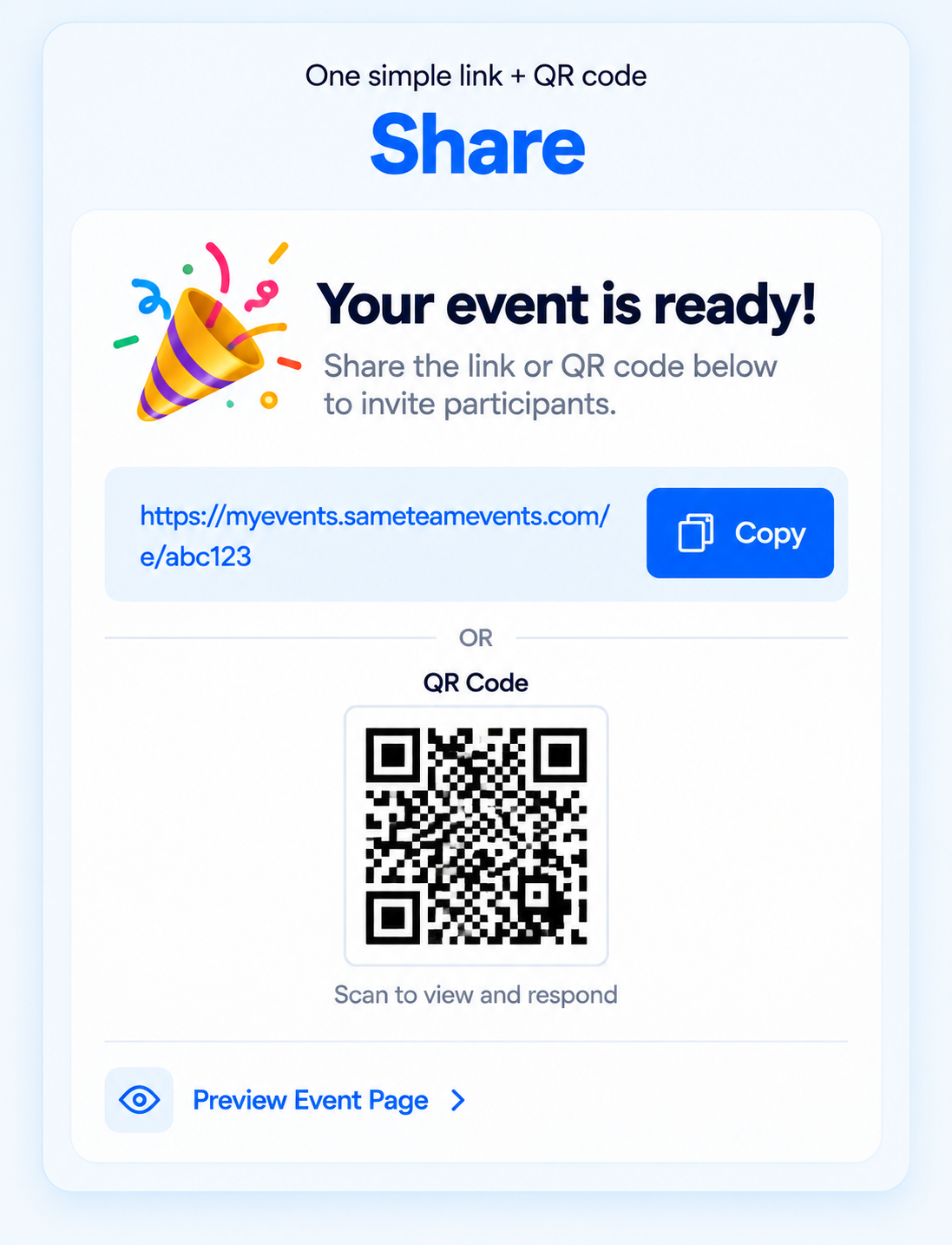
- Share one link. Use it in your newsletter, class emails, and a QR code on flyers.
- Ask personally for what’s still open. “We need two more cashiers on Thursday” is easier to answer than a general request.
- Send a reminder. Include arrival times and anything volunteers should bring.
Volunteer shift coordination vs. volunteer hour tracking
These are different jobs, and the right PTA signup tool depends on which one you need.
Shift coordination
Answers who has signed up, which spots are open, and who you need to remind before the event.
Hour tracking
Answers how much time volunteers actually gave. It often requires attendance records, check-in, or a report for your school or district.
Don’t assume a report means the hours were completed. SignUpGenius’s Volunteer Hours Report is available on Gold and Platinum and totals the hours people signed up for, not their actual attendance. SignUp.com lists participant check-in on Plus and above, with advanced hours tracking and reporting on Max and Campus.
SameTeam is built for shift coordination. It shows who signed up for each role and what still needs to be filled. Organizer and Pro plans can also calculate scheduled volunteer hours from signup start and end times and export them in the Responses CSV. With Pro, volunteers who use My Signups through your Event Hub can select eligible shifts and print or save their own scheduled-hours report. Those totals reflect the time people signed up for. SameTeam doesn’t record check-ins, attendance, or completed hours. If your school, district, or grant requires verified hours, confirm that need first and choose a tool or process that handles it.
Three PTA signup examples
Use these as starting points, then adjust them for your school.
Classroom party
- Snacks: 2 spots
- Drinks: 1 spot
- Plates and napkins: 1 spot
- Craft helper: 2 spots
- Game helper: 2 spots
- Cleanup helper: 1 spot
Add your school’s food and allergy rules to the event details. After the party, duplicate the event for the next one, then add the new date and times.
Teacher appreciation lunch
- Main dishes, sides, and desserts by quantity
- Drinks, plates, cups, and napkins
- Setup helpers with an arrival time
- Cleanup helpers with a time slot
Use the item details to explain what to bring and when to drop it off. Parents can see which items are still needed, so you won’t end up with eight desserts and no main dish.
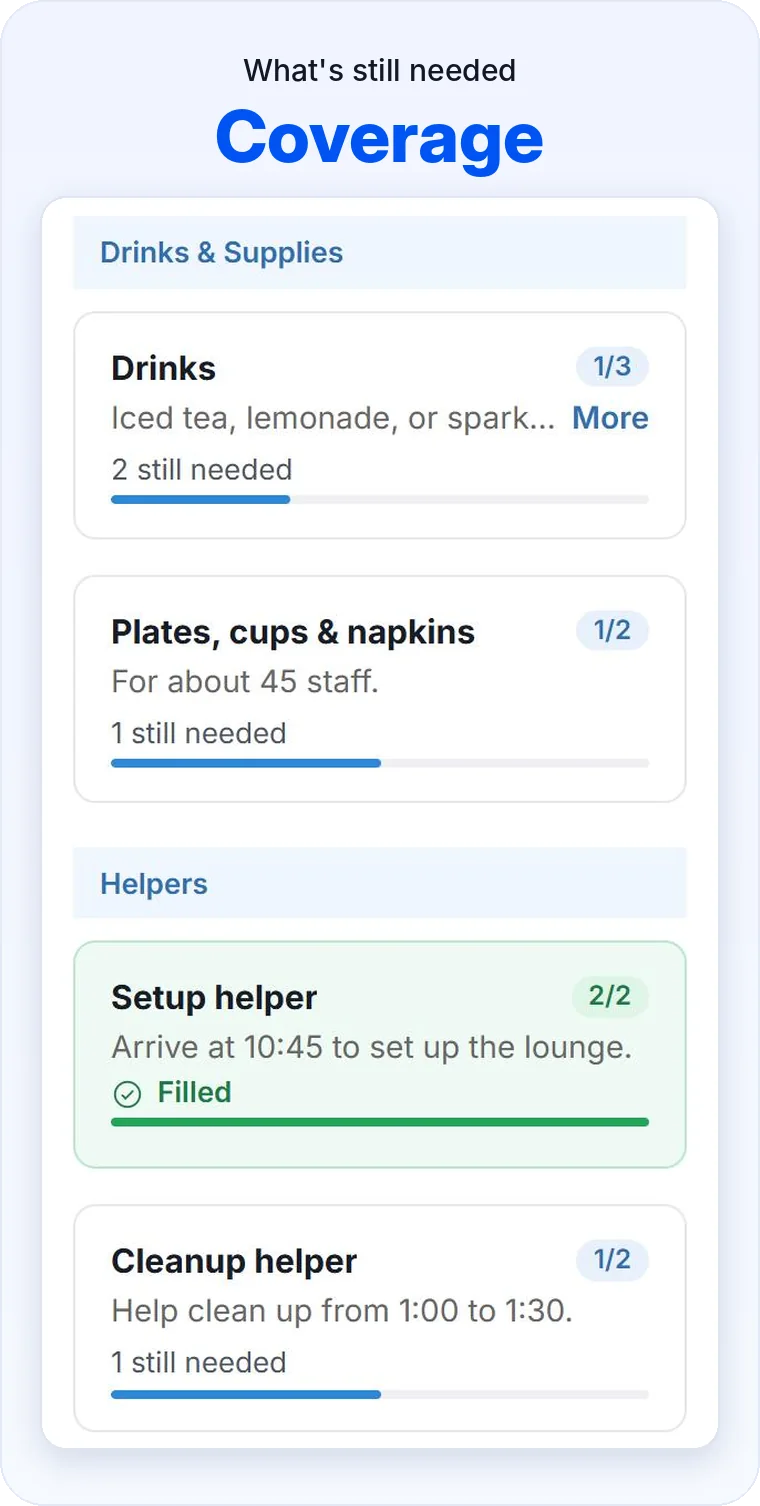
Fall festival or carnival
- Setup crew before the event
- Booth volunteers in one-hour shifts
- Ticket table and game helpers
- Prize, candy, and supply donations
- Cleanup crew after the event
If you also want a family headcount, combine RSVPs and signups in the same event so parents only need one link.
Planning conferences instead? Our parent-teacher conference sign-up guide walks through time slots for families.
Planning more than one event
Most PTAs and PTOs don’t run just one event. A year can include back-to-school night, fall festival, book fair, class parties, teacher appreciation, and field day.
Look for a tool that makes the next event easier. In SameTeam, you can duplicate an event to keep its roles and signup items, then add the new dates and times. That means you can reuse what worked instead of starting from a blank page.
Sharing the work with your board
PTA work rarely belongs to one person. SameTeam’s Pro plan includes up to 25 admins, so board members and committee chairs can help manage events with their own logins.
Board roles also change. Consider using a shared PTA or PTO email address for your main account instead of one officer’s personal email. That can make it easier to keep your events with the organization when new leaders step in.
What parents see
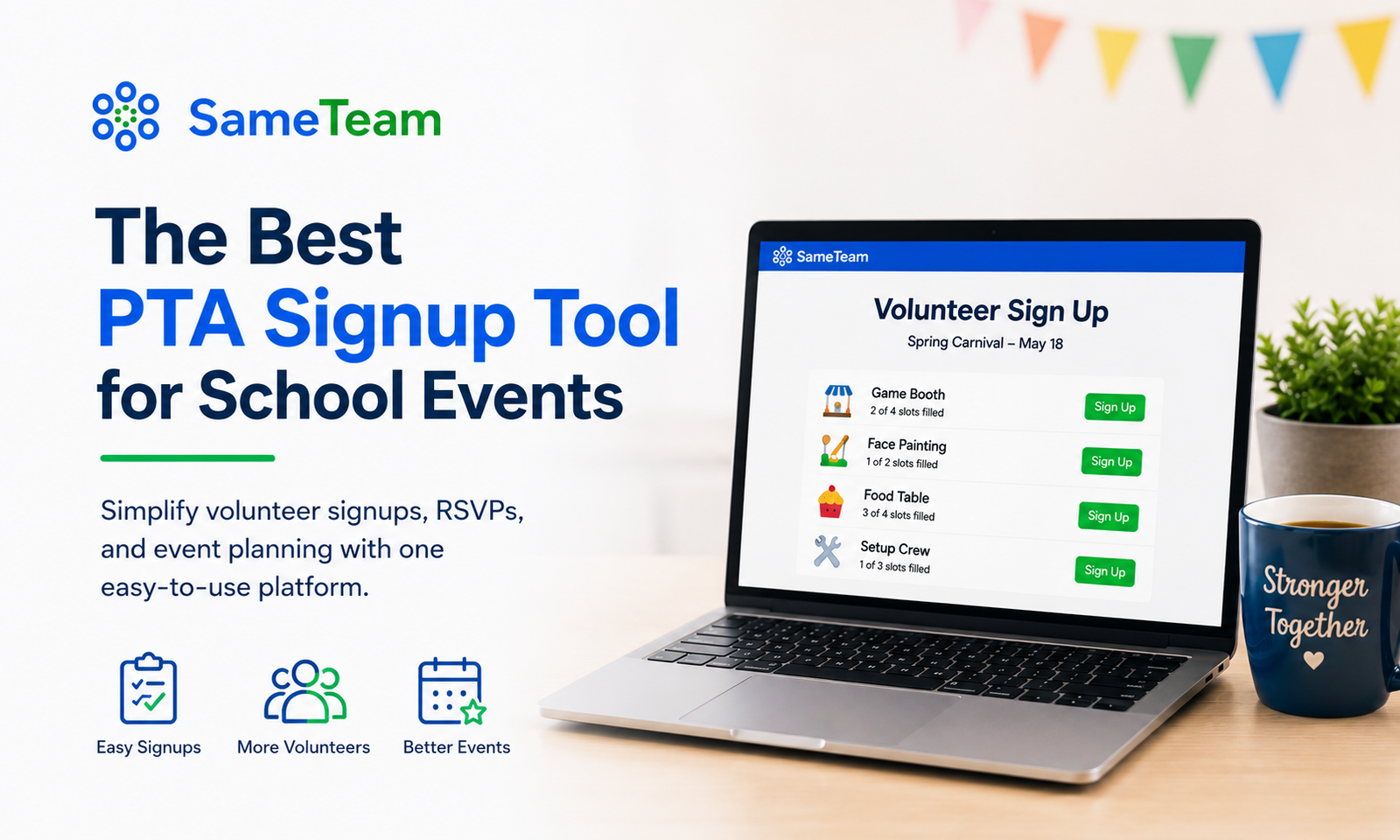
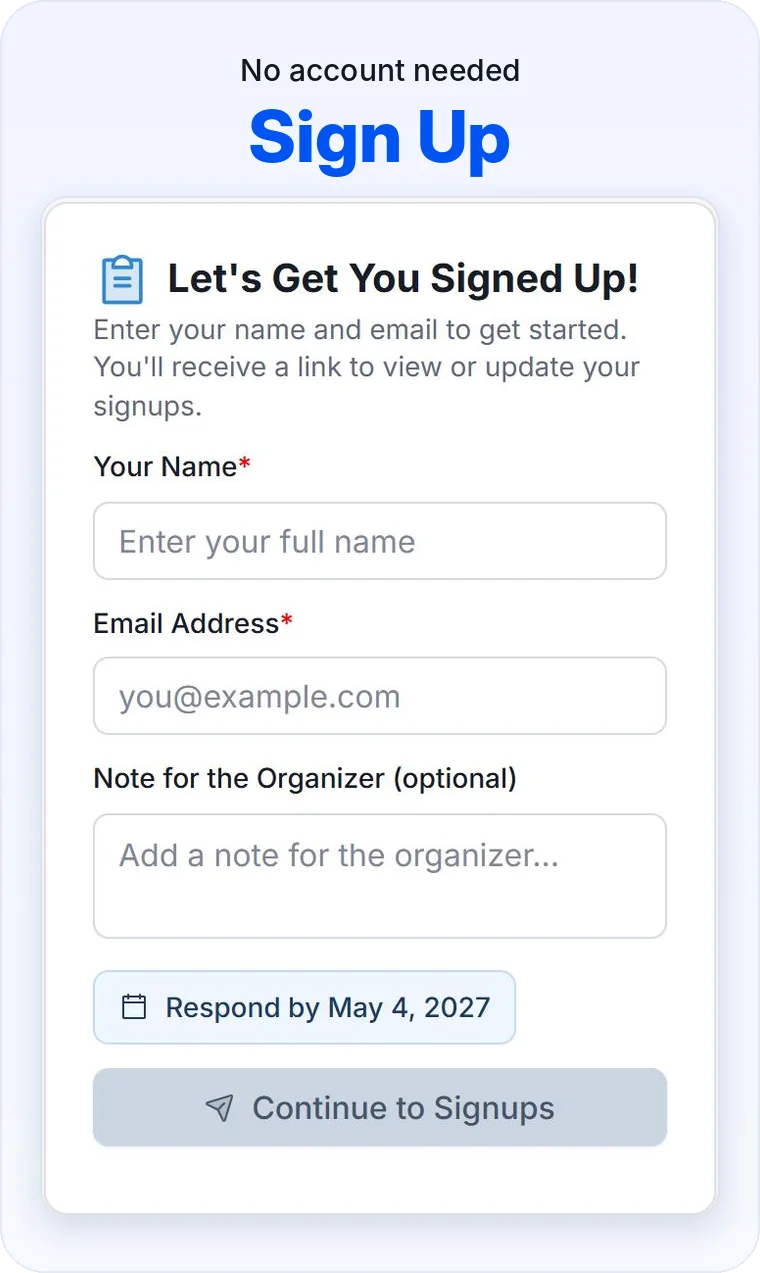
Parents receive one simple link. From there, they can RSVP, sign up to help, choose what they are bringing, or see the event details from their browser.
There are no parent accounts, no app downloads, and no ads. That matters because the easier it is for parents to respond, the more likely they are to actually participate.
What PTA organizers see
Organizers get a private dashboard where they can track responses, signups, party sizes, volunteer coverage, supplies, and event status. Instead of digging through messages or trying to update a spreadsheet manually, everything stays connected to the event.
That makes SameTeam especially helpful for busy PTA volunteers who are planning around work, family, school schedules, and everything else they already have going on.
Why SameTeam is a good fit for PTA event planning
SameTeam keeps PTA event planning simple because it focuses on the part organizers struggle with most: getting people organized.
- One shareable link for parents
- RSVPs and volunteer signups together
- Volunteer roles and time slots with set spot limits
- Event duplication for repeat events
- No guest accounts or app downloads
- No ads for organizers or families
- Private organizer dashboard
- Up to 25 admins on the Pro plan
- Helpful for school events, classroom events, and PTA volunteer needs
See how SameTeam works for PTAs and PTOs.
When another tool may be a better fit
SameTeam focuses on event coordination, so it won’t be the right choice for every group. Consider another option if you need:
- Dues, payments, or a store: An all-in-one PTA platform may fit better.
- A school directory or website: Look at a broader PTA platform.
- Text reminders: SignUp.com includes them on paid plans, and SignUpGenius includes monthly text allowances on paid plans.
- Verified volunteer hours: Choose a process that records actual attendance.
- One plan for many teachers: Compare SignUp.com’s Campus plan.
Try SameTeam for your next PTA event
Create your first event free and share one simple link with parents. SameTeam helps you collect RSVPs, organize volunteers, and keep school event details in one place. For ongoing organizers, plans start at $12/month, billed annually, with unlimited events.
No credit card required.
PTA Signup Tool FAQ
Do parents need an account to use SameTeam?
No. Parents can respond from the shared link without creating a guest account or downloading an app.
Can SameTeam be used for teacher appreciation events?
Yes. PTAs can use SameTeam to organize food donations, supplies, volunteers, RSVPs, setup help, and cleanup help for teacher appreciation events.
Can SameTeam help with fundraising events?
Yes, for organizing the event itself. SameTeam can help coordinate volunteers, donated items, supplies, shifts, and participation. It does not process payments, donations, or product sales.
Is SameTeam only for PTAs?
No. SameTeam can also be used by PTOs, schools, churches, nonprofits, sports teams, community groups, and other organizers who need RSVPs and signups in one place.
Is SameTeam free for PTAs?
Your first event is free. PTAs and PTOs that continue with more events need a paid plan. Plans start at $12/month, billed annually, with unlimited events.
Can more than one PTA board member manage events?
Yes. The Pro plan includes up to 25 admins who can help manage events.
Can we reuse a signup for our next event?
Yes. You can duplicate an event to keep its roles and signup items, then add the new dates and times.
Does SameTeam track volunteer hours?
Yes, as scheduled hours. Organizer and Pro plans can calculate scheduled volunteer hours from signup start and end times and export them in the Responses CSV. With Pro, volunteers who use My Signups through your Event Hub can also select eligible shifts and print or save their own report. SameTeam doesn’t record attendance or completed hours, so these totals aren’t verified attendance.