
Community Group Event Planning & Signups
Simple enough to start today. Powerful enough to keep using.
Plan neighborhood events, collect RSVPs, organize volunteers, and coordinate food and supplies—from spring cleanups to block parties—all in one simple place.
Community events shouldn’t depend on group-chat chaos.
RSVPs in one thread, volunteers in another, and a food list nobody can find—community events get messy fast. SameTeam keeps attendance, helpers, food, and supplies together in one simple link.
Choose What Your Community Event NeedsRSVPs, Signups—or Both
Use SameTeam for neighborhood RSVPs, volunteer signups, food and supplies—or combine them in one simple event.Choose exactly what your community event needs.
Plan the right amount of food and space.
Neighbors choose Yes, Maybe, or No, add their party size, and update their response from their personal link.
Organize helpers, tools, and supplies.
List volunteer roles, time slots, and items with quantities so neighbors can choose exactly how to pitch in.
RSVPs and signups in one community event.
Neighbors RSVP and sign up to bring something or help out—from the same link, with no account required.
How Community Event Signups Work
Create your community event, share one link or QR code, and track RSVPs, volunteers, food, and supplies in one place.
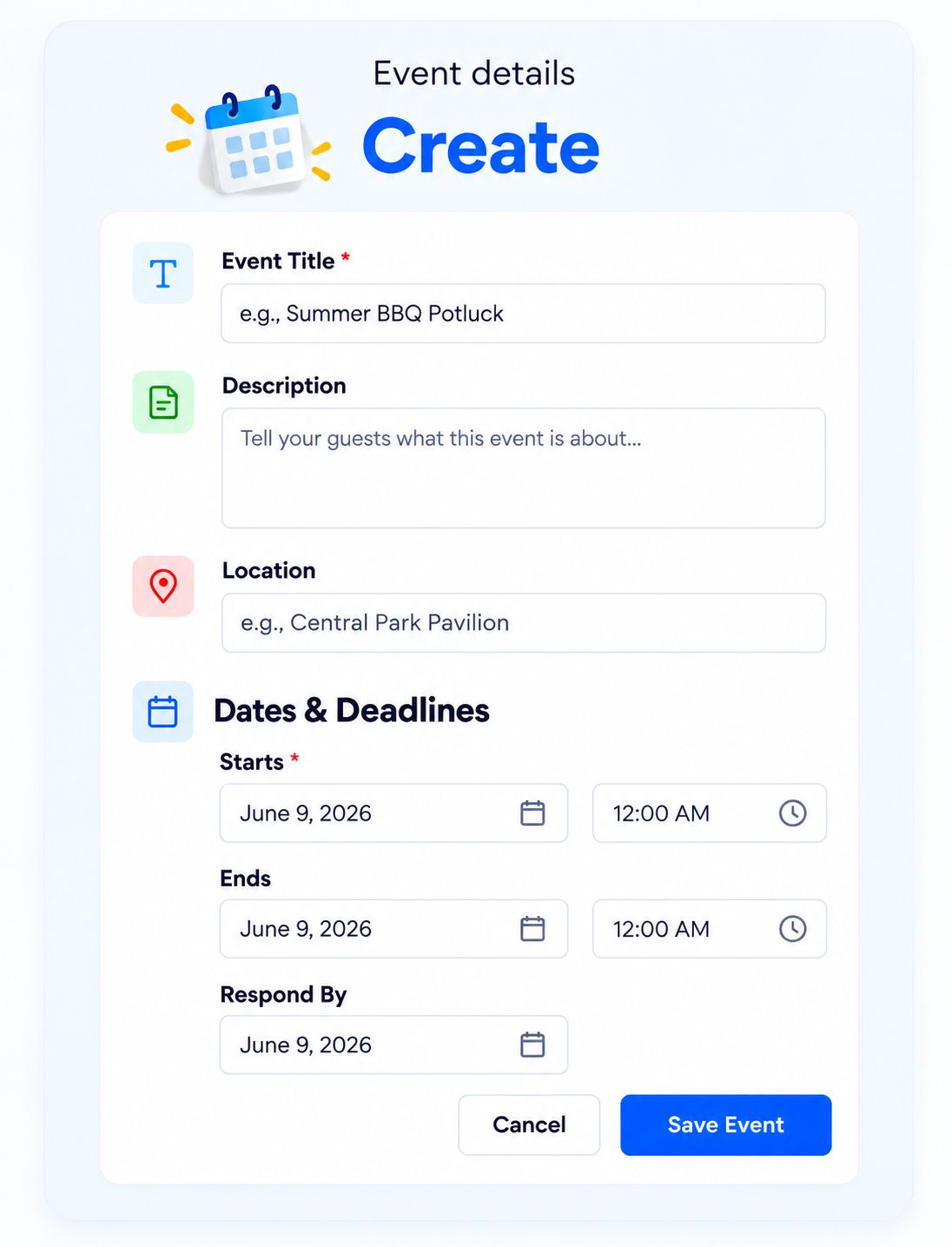
1 Create Your Event
Add the event details and choose RSVPs, signups, or both.
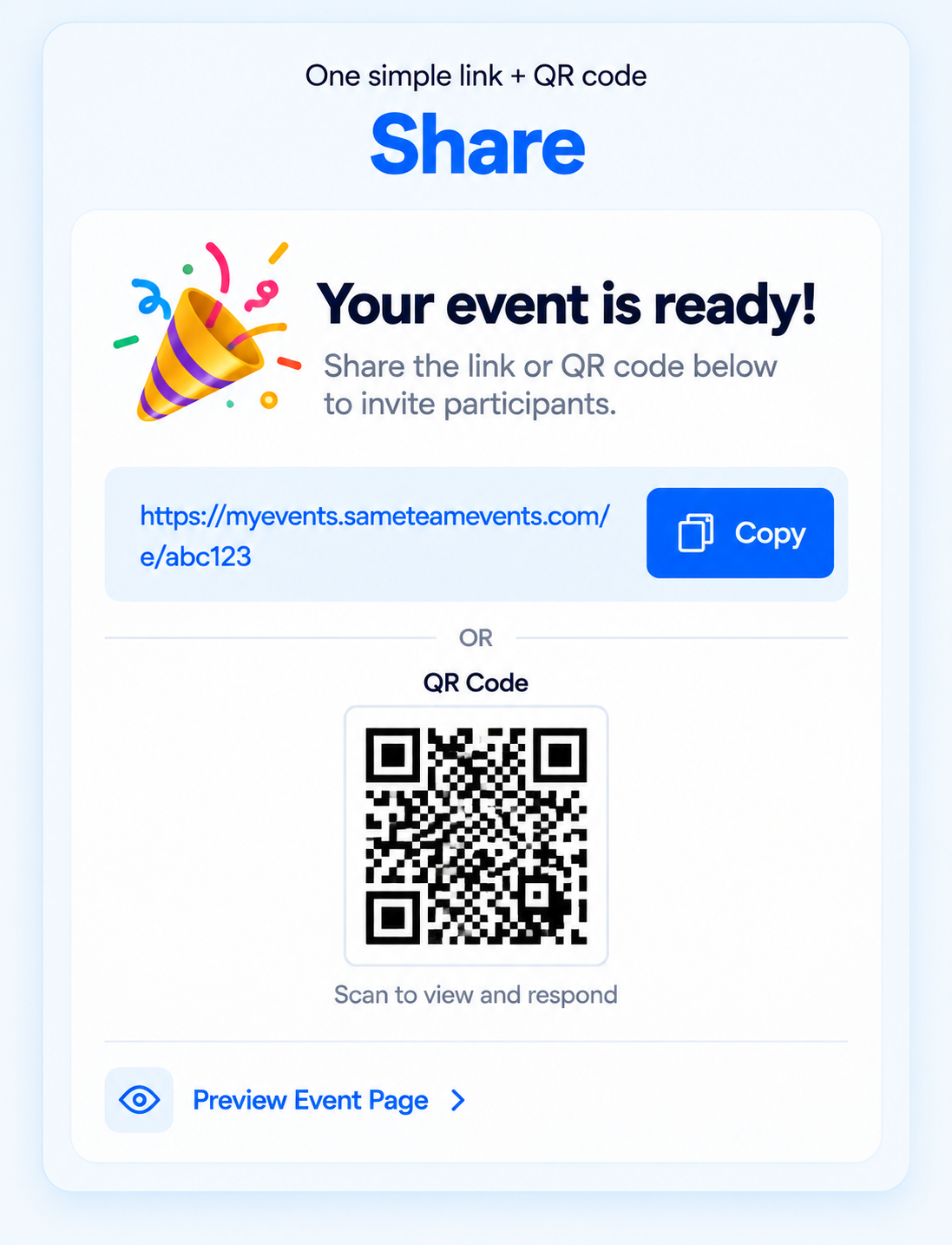
2 Share One Link
Send it by email, text, newsletter, social group, website, flyer, or QR code. Participants respond without accounts or app downloads.
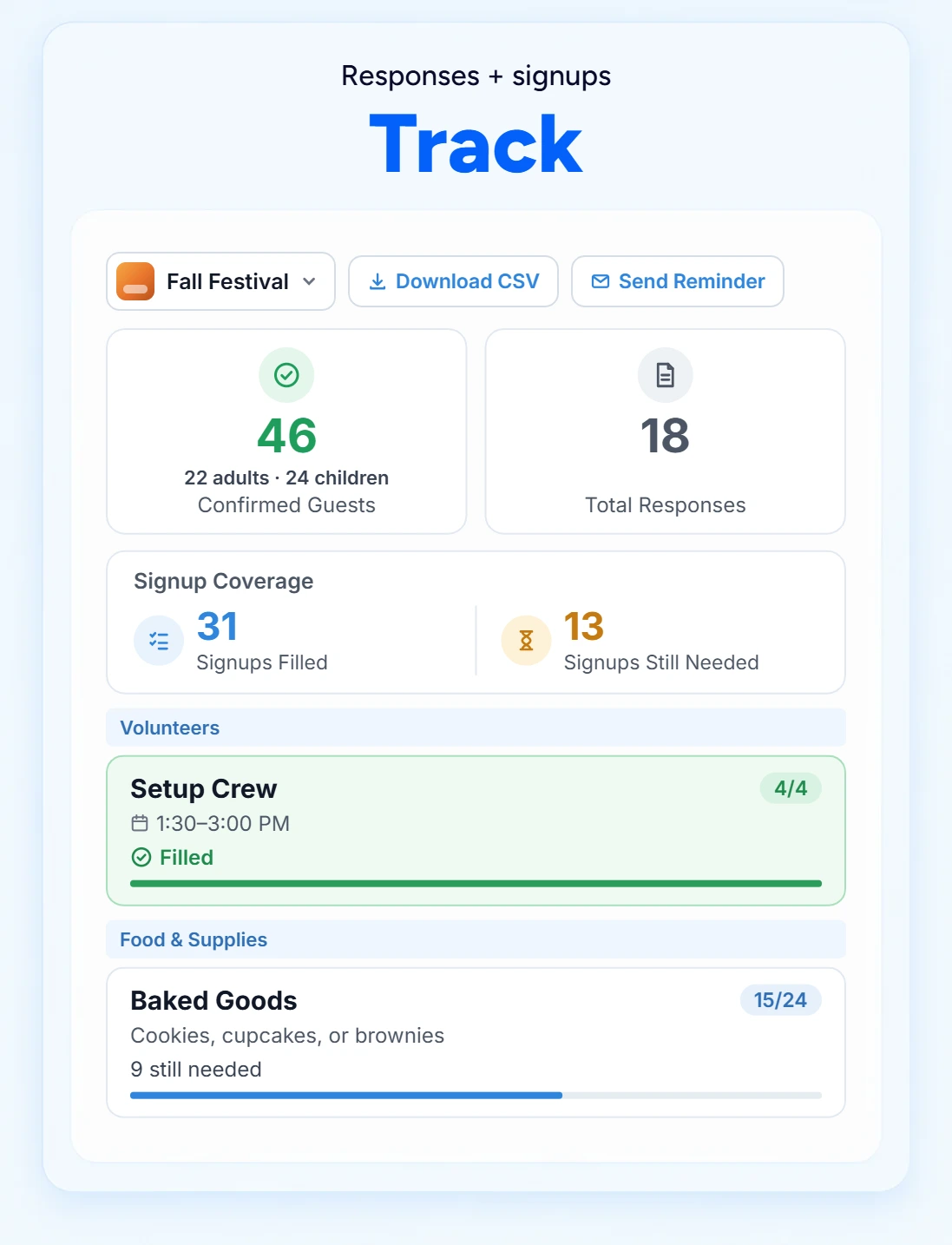
3 Track Everything in One Place
See who’s coming, who’s helping, what’s filled, and what’s still needed—then send reminders from your dashboard.
One dashboard for organizers. One simple link for everyone else.
Organizers keep attendance, helpers, food, and supplies together—while neighbors and members simply open your link and respond.
Every detail in one place
- Track attendance, party sizes, and notes
- Add volunteer roles, food, supplies, and quantities
- Set dates and times for helpers and items
- See coverage—what’s filled and what’s still needed
- Set event capacity and response deadlines
- Ask guests questions—like dietary needs or how they heard about the event
- Send email reminders
- Duplicate events and export responses to a spreadsheet (CSV)
Nothing to download
- Open one link to RSVP or sign up
- No account
- No app download
- No ads
- Confirmation email to update their response or signup
- Add the event to their calendar
- Contact information isn’t public
Built for this gathering—and the next.
From cleanups and picnics to festivals and service projects, keep every community event organized in one dashboard.
Community groups gather all year long. Duplicate last year’s events instead of starting over, and keep every RSVP, volunteer, and food signup in one place.
- Duplicate past events
- Organized volunteer signups
- One dashboard for every event
New! AI event images & flyers. Post flyers with a QR code for neighborhood gatherings, festivals, and community activities—or let AI create custom artwork and event images. AI generation is included with paid plans. See plans →
Ready to plan your next community event? Create your first event free—no credit card required.
Built for the events that bring neighbors togetherBuilt for the events that bring neighbors together
For neighborhood associations, HOAs, clubs, civic groups, and local committees.For neighborhood associations, HOAs, clubs, civic groups, and local committees.
Neighborhood Cleanups
Assign areas and time slots, and track gloves, bags, and other supplies.
Areas, shifts & supplies
Block Parties
Collect RSVPs and organize grills, games, tables, and setup help.
RSVPs, food & setup
Festivals
Manage booths, volunteers, donated items, setup, and cleanup in one event.
Booths & volunteers
Service Projects
Organize helpers and supplies for food drives, service days, and community projects.
Helpers & supplies
Club & Group Events
Plan meetings, socials, and recurring gatherings with simple RSVPs.
Meetings & socials
Simple Pricing
Your first event is free—no credit card required.
Paid plans include unlimited events and participants, starting at $12/month, billed annually. Flexible monthly billing available.
Only a few gatherings a year?
Monthly plans can pause between block parties, cleanups and meetups for up to 6 months. Billing restarts automatically on the date you choose, and your events and responses stay saved.
Organizer
For individuals and organizations managing events of any size.
- Unlimited events & participants
- RSVPs + volunteer signups with categories, dates & times
- Manual + automatic email reminders
- Response tracking + signup coverage
- Duplicate events + spreadsheet exports (CSV)
- Volunteer-hours spreadsheet export (CSV)
- 20 AI image/flyer generations per month + printable QR-code flyers
Pro
For organizations that plan and manage events together.
- Everything in Organizer, plus:
- Up to 5 Event Hubs — separate links for different groups
- Up to 25 admins — manage events together
- My Signups — members view and update their RSVPs and signups in one place
- Volunteer self-service scheduled-hours reports
- 60 AI image/flyer generations per month
Frequently Asked Questions
Answers to common questions about using SameTeam for neighborhood events, community RSVPs, volunteers, food, and supplies.
Do participants need an account?
No. Neighbors and members RSVP or sign up directly from the link you share—no account, app download, or password required.
Can we collect RSVPs and volunteer signups together?
Yes. Create an RSVP-only event, a signup-only event, or an RSVP + Signup event where people RSVP and choose a volunteer role, dish, or supply from the same link.
Can we organize food and supplies?
Yes. List the dishes, drinks, and supplies you need with quantities and categories, and see what’s already been claimed and what’s still needed. It works like a simple online sign-up sheet.
Can we set event capacity?
Yes. Set a capacity limit and a response deadline so you can plan space, food, and supplies with confidence.
Can people update their response?
Yes. Each participant receives a confirmation email with a personal page where they can review or update their RSVP or signup before your deadline.
Can we send reminders?
Yes, on Organizer and Pro plans. Send email reminders from your dashboard anytime or turn on an automatic reminder that goes out 1, 2, 3, or 7 days before the event.
Can we duplicate recurring community events?
Yes. Duplicate last year’s picnic, cleanup, or holiday gathering to reuse its details and signup needs, then update the dates and share the new link. For more ideas, browse our event planning resources.
Can we share multiple events from one page?
Yes. Event Hubs, included in Pro, let you gather multiple events on a shareable page so neighbors can find everything from one link. Create up to five hubs for different programs or committees, and include an event in more than one hub when needed.
Does SameTeam work for volunteer-heavy events like cleanups?
Yes. Add roles and time slots, set how many helpers you need, and track coverage as people sign up. See more about SameTeam’s volunteer signup software.
Can I pause my plan between events?
Yes—handy between gatherings. On monthly plans, you can pause for up to 6 months at a time, and you won’t be charged while paused. Billing resumes automatically on the restart date you choose, and your events and responses stay saved.
Guests can keep responding for 14 days after your pause starts, and events that have started by then can run until they end, up to 30 days. Other events are then unavailable to guests until your plan restarts, when they reopen automatically. Pausing isn’t available on annual plans.
Planning a community event? Start with one simple link.
Create your first community event free. Participants don’t need accounts, apps, or logins.
SameTeam is family-owned and built alongside the organizers who use it.