
Online Event Planning App for RSVPs, Signups & Volunteers
Create events, collect RSVPs, fill volunteer shifts, coordinate food and supplies, and send reminders—all from one dashboard and one simple link. Guests need no accounts or app downloads, and there are no ads.
✓ No Guest Accounts
✓ No App Downloads
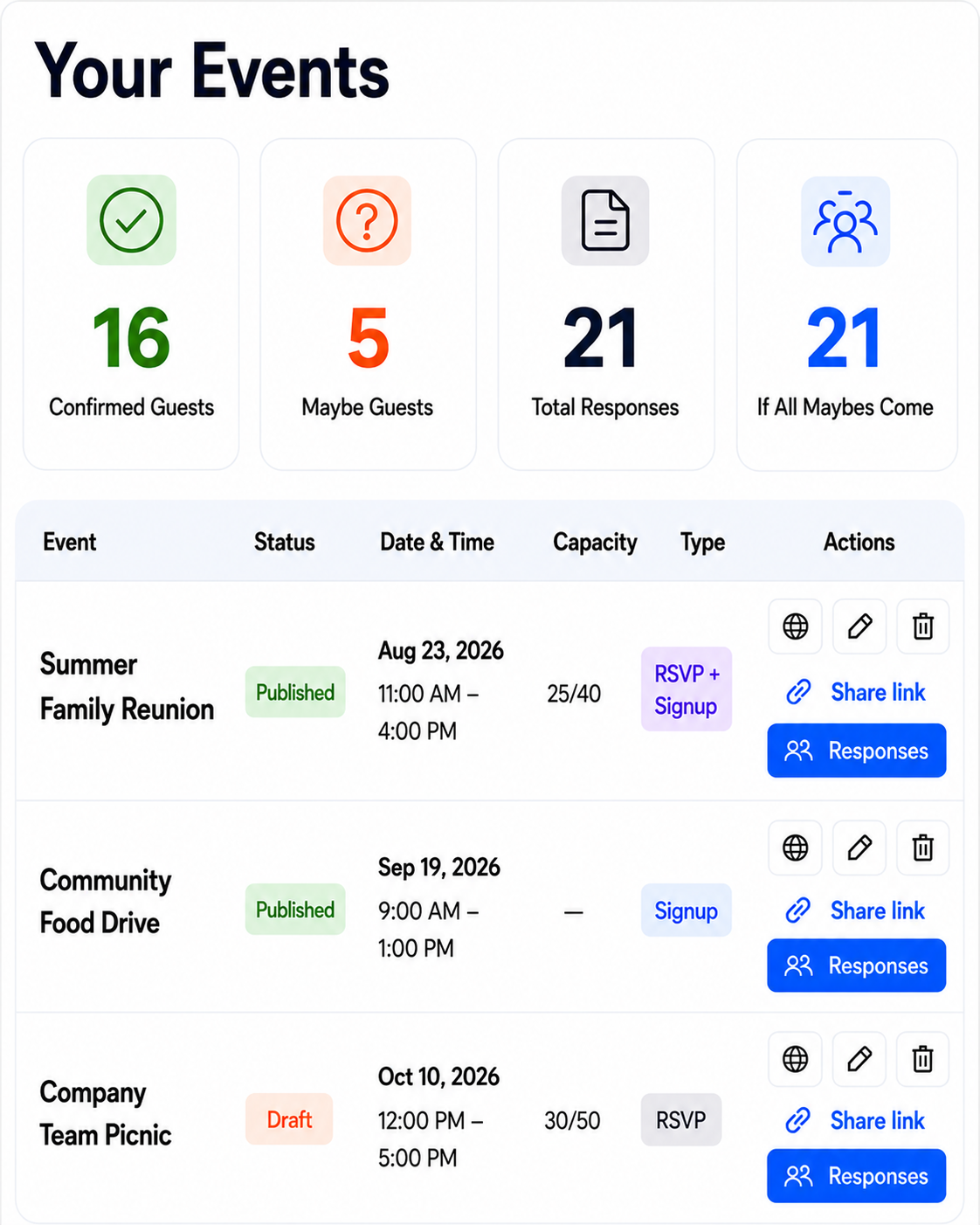
Event planning shouldn’t require five different tools.
Replace scattered spreadsheets, reply-all emails, paper signup sheets, and group-message reminders with one organized event page that is easy for everyone to use.
Choose What Your Event NeedsRSVPs, Signups—or Both
Use SameTeam for RSVPs, signups, or both together in one simple event.Choose exactly what your event needs.
Collect clear RSVPs without chasing replies.
Guests choose Yes, Maybe, or No, add their party size, and update their response from their personal link.
Make volunteer and item signups easy to understand.
Show available shifts, roles, food, supplies, and quantities so participants can choose exactly how they want to help.
Connect attendance and signups in one event.
Guests can RSVP and choose volunteer shifts, food, or supplies from the same link—without creating an account.
How It Works
Create your event, share one link or QR code, collect RSVPs and signups, and send reminders as the date gets closer.
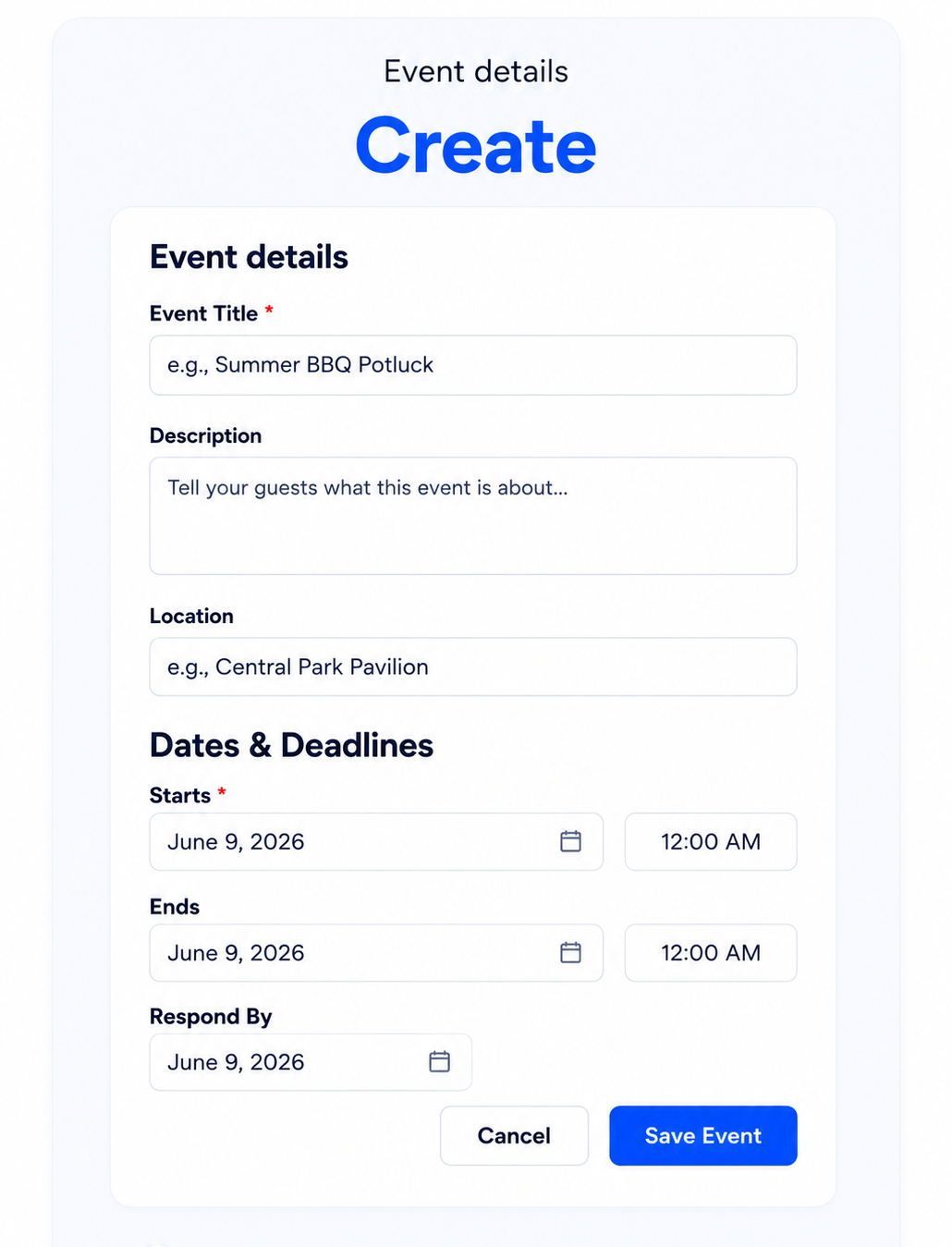
1 Create Your Event
Add the details and choose RSVPs, signups, or both—whatever your event needs.
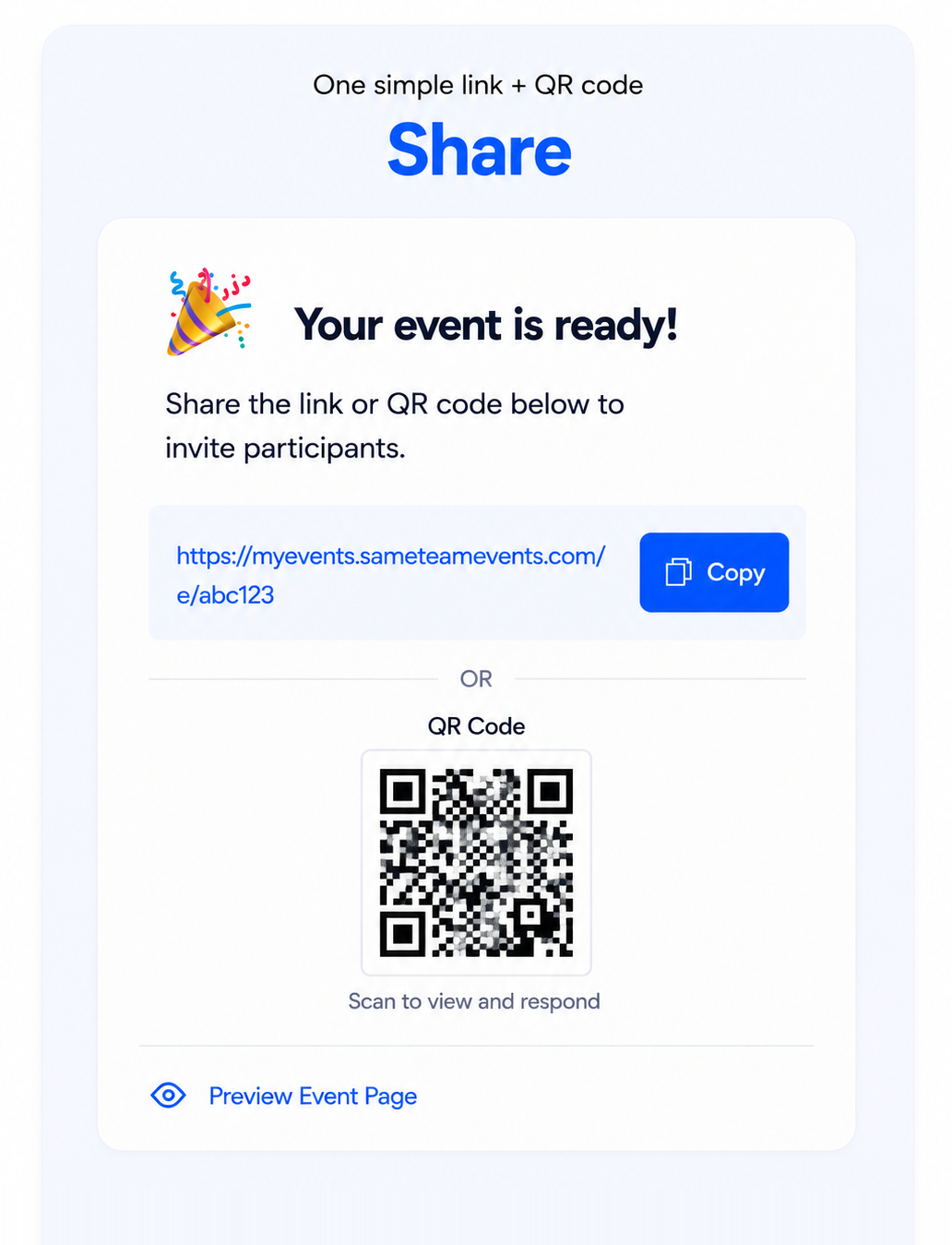
2 Share One Link
Share it by email, text, newsletter, social media, or QR code. Guests respond without accounts or app downloads.
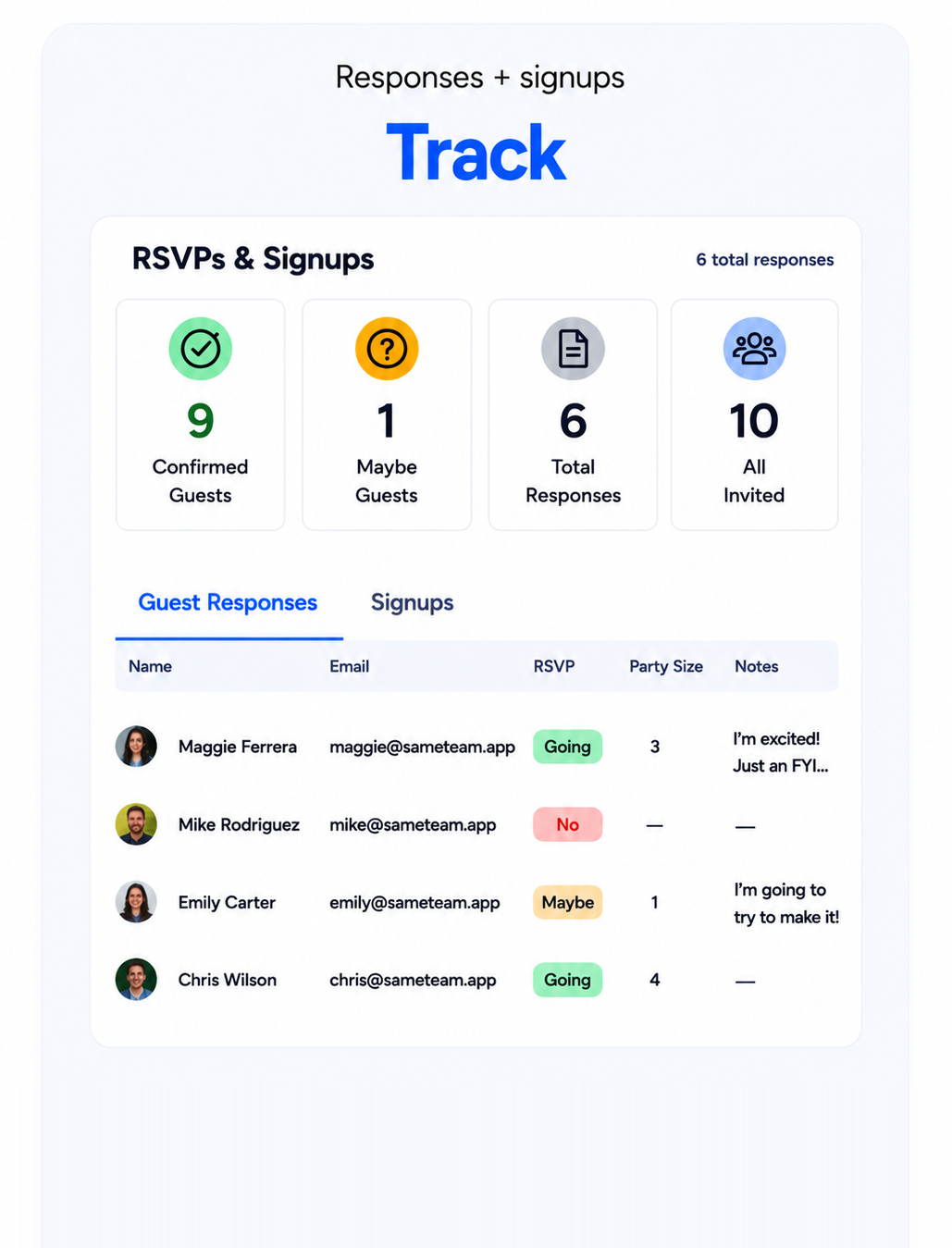
3 Collect, Remind & Show Up
Track responses and signup coverage from your private dashboard, then send unlimited reminders as the event gets closer.
One dashboard for you. One simple link for everyone else.
Track RSVPs, signup needs, volunteer coverage, reminders, and guest updates in one place—without requiring participants to create accounts or download an app.
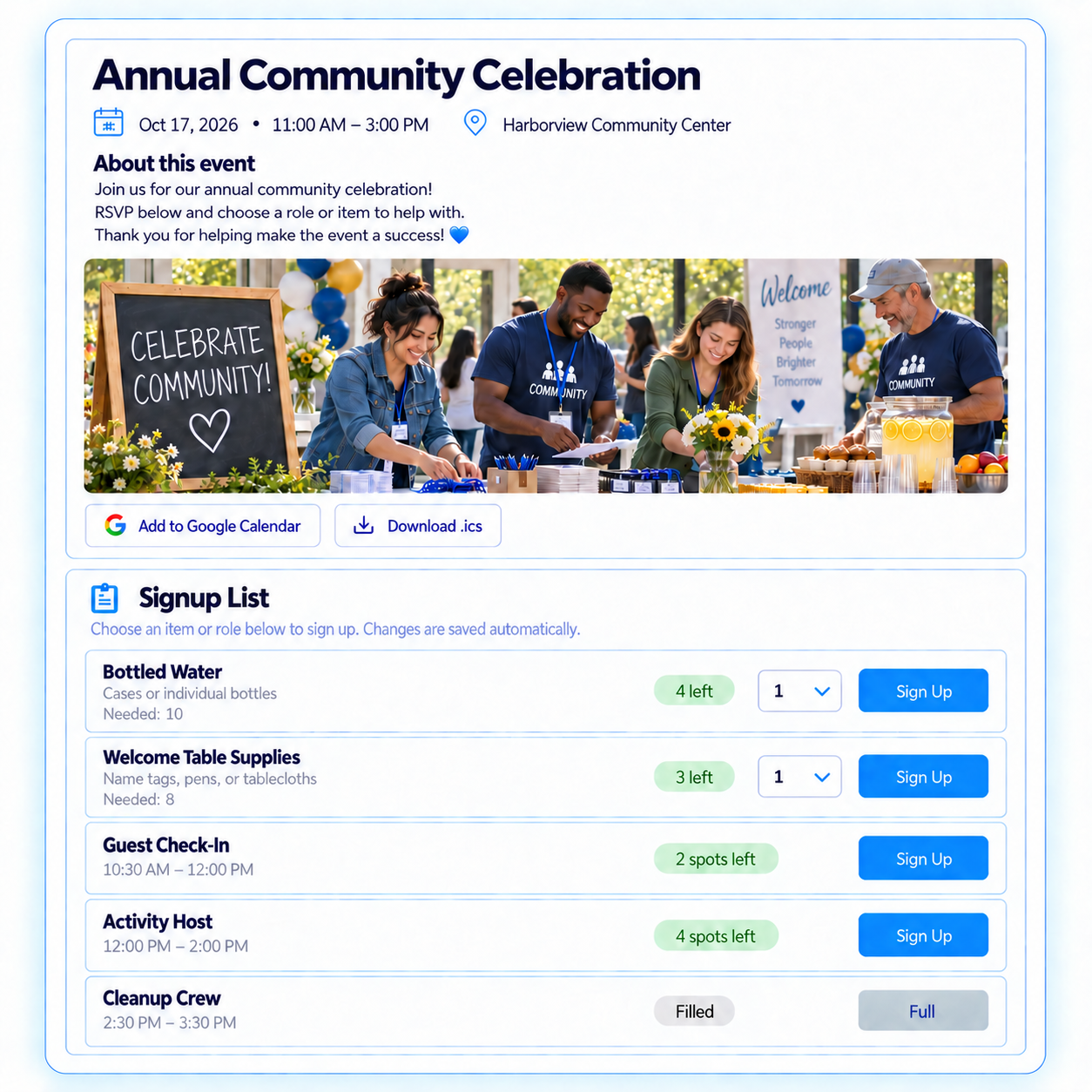
Stay on top of every detail
- Track Yes, Maybe, and No responses, party sizes, and notes
- Add an event image; set capacity and response deadlines
- Manage volunteer shifts, roles, food, supplies, and quantities
- See “Remaining” and “Full” status at a glance
- Send unlimited reminders from your private dashboard
Simple from the first click
- RSVP or sign up from one link
- No accounts or app downloads
- Receive a confirmation email and personal update page
- Add the event to their calendar
- No ads, and contact information isn’t public
Ready to make your next event easier? Create your first event free—no credit card required.
Built for the people who bring groups togetherMade for organizers like you
From recurring volunteer programs to school events, church gatherings, team activities, and community celebrations.Simple tools for every kind of group event.
HOAs & Communities
Plan neighborhood events, festivals, cleanups, meetings, and community programs.
Events, cleanups & programs
Sports & Teams
Coordinate team meals, banquets, snack schedules, carpools, and volunteer coverage.
Meals, schedules & volunteers
Simple Pricing
Your first event is free. Guests and volunteers always participate for free.
Unlimited events. Unlimited participants. Unlimited reminders.
Create and manage events all year long. Cancel anytime.
Organizer
Everything you need to organize events all year long.
- Unlimited events
- Unlimited participants
Pro
Additional tools for organizations managing more.
- Everything in Organizer
- Event Hub — one page for multiple events
Frequently Asked Questions
Answers to common questions about using SameTeam to create events, collect RSVPs, manage signups, schedule volunteers, and send reminders.
What is an online event planning app?
An online event planning app helps organizers create an event page, share important details, collect responses, and track what is still needed. SameTeam keeps RSVPs, signups, volunteer shifts, supplies, deadlines, reminders, and guest information together in one private organizer dashboard.
Is the SameTeam event planning app free?
Yes. Your first event is free with no credit card required. Guests and volunteers always participate for free, and every event can include unlimited participants.
Do guests need a SameTeam account or app?
No. Guests can RSVP, volunteer, choose an item, and review event details directly from the link you share—no account, app download, or password required.
Can I create RSVP-only events, signup sheets, or both?
Yes. Create an RSVP-only event, a signup-only event, or combine attendance with volunteer shifts, roles, food, supplies, and quantities on one event page.
Can SameTeam manage volunteer shifts and item quantities?
Yes. Add as many volunteer roles, time slots, food categories, or supply needs as your event requires. Set quantities for each option, and SameTeam automatically shows what is remaining and when a need is full.
Can guests update responses and receive reminders?
Yes. Each participant receives a confirmation email with a personal page for reviewing or updating their response before your deadline. Organizers can send unlimited reminders, and every published event includes a shareable link and QR code.
What is an Event Hub?
An Event Hub gives you one shareable page for multiple events. Choose which upcoming events to include, then share one Hub link so people can easily find the events they need.
What kinds of events and groups can use SameTeam?
SameTeam works for churches, PTAs, schools, nonprofits, volunteer organizations, HOAs, sports teams, clubs, families, and community groups. Use it for meetings, potlucks, service days, festivals, fundraisers, banquets, classes, parties, and other group events.
How is SameTeam different from other signup tools?
SameTeam keeps RSVPs, signups, reminders, and event details together in one place. Guests do not need accounts or app downloads, and there are no ads or public attendee lists. It is a modern SignUpGenius alternative designed to reduce friction for both organizers and participants.
Ready to make event planning easier?
Create an organized event page in minutes and share it with one simple link. Your first event is free.
SameTeam is family-owned and built alongside the organizers who use it.