
GroupMe vs BAND: Which Group App Is Better?
GroupMe is a fast, free group chat. BAND is a full group space with posts, a calendar, and polls. Here’s how they compare and which one fits your group.
Quick answer: GroupMe is better if your group mostly needs a fast, simple group chat, like a college club or a group of friends. BAND is better if you want a full group space with announcements, a calendar, polls, and organizing tools, like a school activity, a large ministry, or a community organization. Both are free. If you mainly want group chat and event scheduling together in a simpler app for a private group, SameTeam Groups is another option worth a look.
GroupMe and BAND are two of the most popular free apps for keeping a group connected, and they often come up in the same conversation: “Should we use GroupMe or BAND?” They overlap more than you might expect. Both have group chat, events, RSVPs, and polls, and both work on phones and computers. But they’re built around different ideas. GroupMe is a chat app first. BAND is a group hub that happens to include chat.
Below, we compare GroupMe vs BAND on messaging, calendars and events, RSVPs, group management, privacy, ease of use, and cost, and suggest which one fits different kinds of groups.
Full disclosure: We make SameTeam Groups, which we mention near the end as another option. We aren’t affiliated with GroupMe or BAND. Features were checked in November 2026 using each company’s help center, blog, and app store listings. Apps change often, so confirm details before you commit.
GroupMe vs BAND at a glance
| Feature | GroupMe | BAND |
|---|---|---|
| Best for | Busy group chats: college groups, friends, casual teams | Organized communities: school activities, ministries, clubs, larger groups |
| Made by | Microsoft | NAVER |
| Built around | The group chat | A group page with posts, plus chat |
| Announcements | Pinned messages in the chat | Separate post board, with notices and read receipts |
| Calendar and events | Yes, including recurring events and a personal calendar of your events | Yes, with RSVPs and reminders |
| RSVPs | Yes | Yes |
| Polls | Yes | Yes |
| Other organizing tools | Topics for side conversations | To-do lists, attendance check-ins, photo albums, live streaming |
| Group size | Up to 5,000 members | Free for groups of any size |
| Phone number shared with members? | No, but you need a phone number to sign up | No |
| Admin controls | One owner plus admins; can limit who edits settings and members | Leader and co-leaders; can limit who posts, comments, or starts chats |
| Phone and computer | iPhone, Android, and web | iPhone, Android, and web |
| Cost | Free (optional extras like emoji packs) | Free with ads; optional ad-free pass and storage |
Based on each company’s help center, blog, and app store listings, November 2026.
GroupMe in brief
GroupMe, owned by Microsoft, is a free group messaging app that’s especially popular with college students. Everything happens in the group chat: messages, photos, polls, and events. In 2026, GroupMe added recurring events and a personal calendar that gathers every event you’ve been invited to across your groups, and Microsoft has continued to add features, including AI chat summaries with Copilot.
One recent change matters for some groups: in August 2026, GroupMe began winding down its two-way SMS service, so members can no longer take part in a group by text message alone. They now need the app or GroupMe on the web.
BAND in brief
BAND, made by NAVER, gives each group its own private space with a post board, group chat, and shared calendar. Posts stay organized on the board instead of scrolling away in a chat, which makes BAND feel more like a small private website for your group. It also includes polls, to-do lists that can work as simple signup sheets, attendance check-ins, photo and video albums, read receipts, and live streaming. BAND is free for groups of any size and shows ads unless you buy ad-free time.
Messaging
GroupMe is the stronger pure chat app. It feels like a familiar group text, with reactions, @mentions, photos, and topics for side conversations. The tradeoff is that everything flows through one stream. In a busy group, an important detail can scroll out of view quickly, and GroupMe’s own help center notes that groups larger than about 200 people can get noisy because everyone gets notified when someone replies.
BAND splits communication into two places: a post board for announcements and longer updates, and chat rooms for conversation. You can create separate chats for smaller teams within the group. That structure helps important information stay findable, but it also means members have more than one place to check.
Bottom line: GroupMe wins for quick, casual conversation. BAND wins when announcements need to stay visible.
Calendars, events, and RSVPs
Both apps let you create events that members can RSVP to, which is a big step up from asking “who’s coming?” in a text thread.
GroupMe events live inside the group chat, and members can respond right there. With the 2026 updates, you can create recurring events, and each person gets a calendar view of the events they’ve been invited to across all of their groups.
BAND has a full group calendar with RSVPs and reminders. Because it sits alongside the post board, to-do lists, and attendance tools, it suits groups that plan many events or need to track who actually showed up.
Bottom line: Both handle basic events well. BAND offers more planning tools; GroupMe keeps events simple and close to the conversation.
Group management and admin controls
GroupMe gives each group one owner, who can add admins and transfer ownership. Owners and admins can choose whether everyone or only admins can edit group settings and add or remove members, require approval for new members, add a join question, turn group share links on or off, and decide who can delete messages.
BAND lets the leader assign co-leaders to help manage the group, remove members, and limit who can post, comment, or start chats. Each group can be set to secret, closed, or public, which controls whether people can find it.
Bottom line: Both offer solid controls. BAND has more options for shaping how members participate, which helps larger or more structured groups.
Privacy
Neither app shows your phone number to the group by default. GroupMe says your phone number and email stay private from other members, who see only your name and avatar. Note that GroupMe requires a phone number to create an account. BAND’s app store listing says members don’t need to share personal information like a phone number or email address.
BAND groups can be secret, closed, or public, while GroupMe groups can be hidden and invitation-only or set to be discoverable. Whichever app you choose, check the group’s visibility and join settings before you share an invitation link widely.
Ease of use
GroupMe is easier to pick up. If someone can use a group text, they can use GroupMe right away. BAND has more to learn: a home feed, a post board, chats, a calendar, and many optional tools. For an organized community, that’s useful. For a small group that just wants to coordinate, it can feel like more app than they need.
With GroupMe’s SMS option winding down, both apps now work best when every member installs the app or uses the web version.
Cost: Is GroupMe free? Is BAND free?
GroupMe is free and has no premium tier. The only purchases in its app store listing are optional extras like emoji packs.
BAND is free for groups of any size, with ads. Optional in-app purchases include a 30-day ad-free pass and extra storage.
GroupMe or BAND: which is better for your group?
College groups, friend groups, and casual teams
GroupMe. It’s fast, familiar, and many students already have it.
School activities, large ministries, and community organizations
BAND. The post board keeps announcements from getting buried, and the extra tools help with recurring schedules and attendance.
Church small groups, Bible studies, and volunteer teams
Either can work. GroupMe is simpler; BAND is more organized. If your group is small and mostly needs to talk and plan get-togethers, you may not need everything BAND offers, and a long GroupMe chat can bury the details. That’s the gap SameTeam Groups is designed for.
Very large groups
BAND is free for groups of any size and has more tools for controlling who can post. GroupMe supports up to 5,000 members, but very large chats can get noisy.
Want to compare more than two apps? See our guide to the best apps for group communication and scheduling, which also covers Spond, TeamSnap, Cozi, and TimeTree.
Another option: SameTeam Groups
Our app Best for: Private, ongoing groups that want chat and event scheduling in one simple app, such as church small groups, ministry teams, clubs, volunteer teams, neighbors, and families.
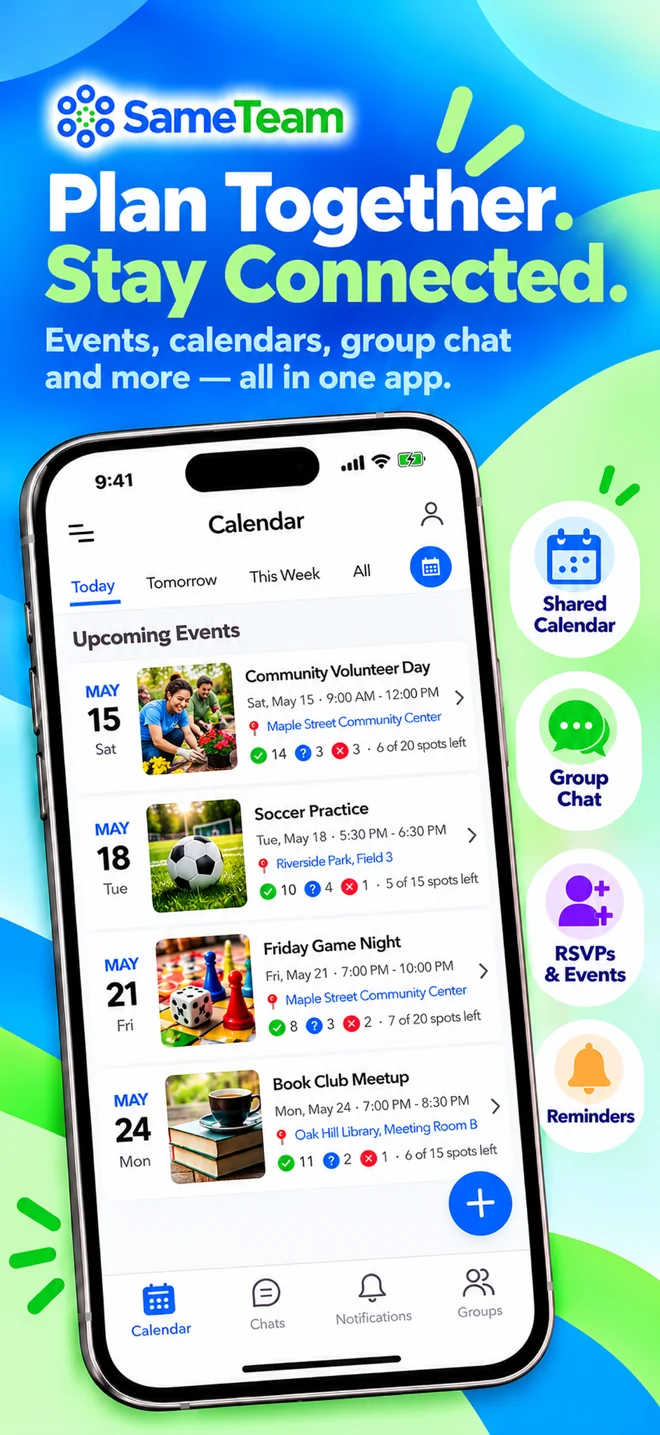
If GroupMe feels too much like a chat that buries your plans, and BAND feels like more than your group needs, SameTeam Groups sits in between. Its main advantage is that private group chat, a shared calendar, events, and RSVPs are built to work together in one place, without a busy feed or extra tools to manage. It’s a free iPhone and Android app for private groups. Members join by invitation, and each group gets its own chat, events, and shared calendar. When someone posts an event with a date, time, place, and details, it appears on the group calendar, and members respond Yes, Maybe, or No. If an event has limited space, such as seats in a car or spots on a serving team, you can set a limit and see how many spots are still open.
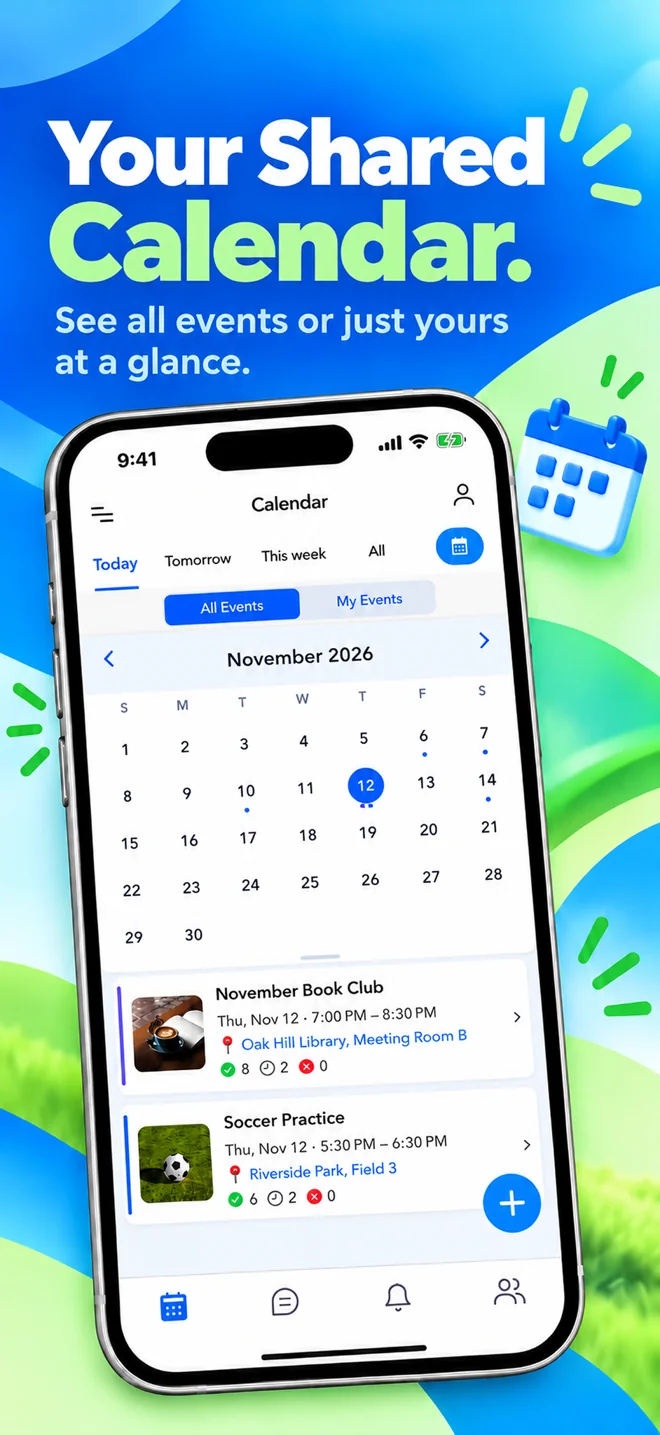
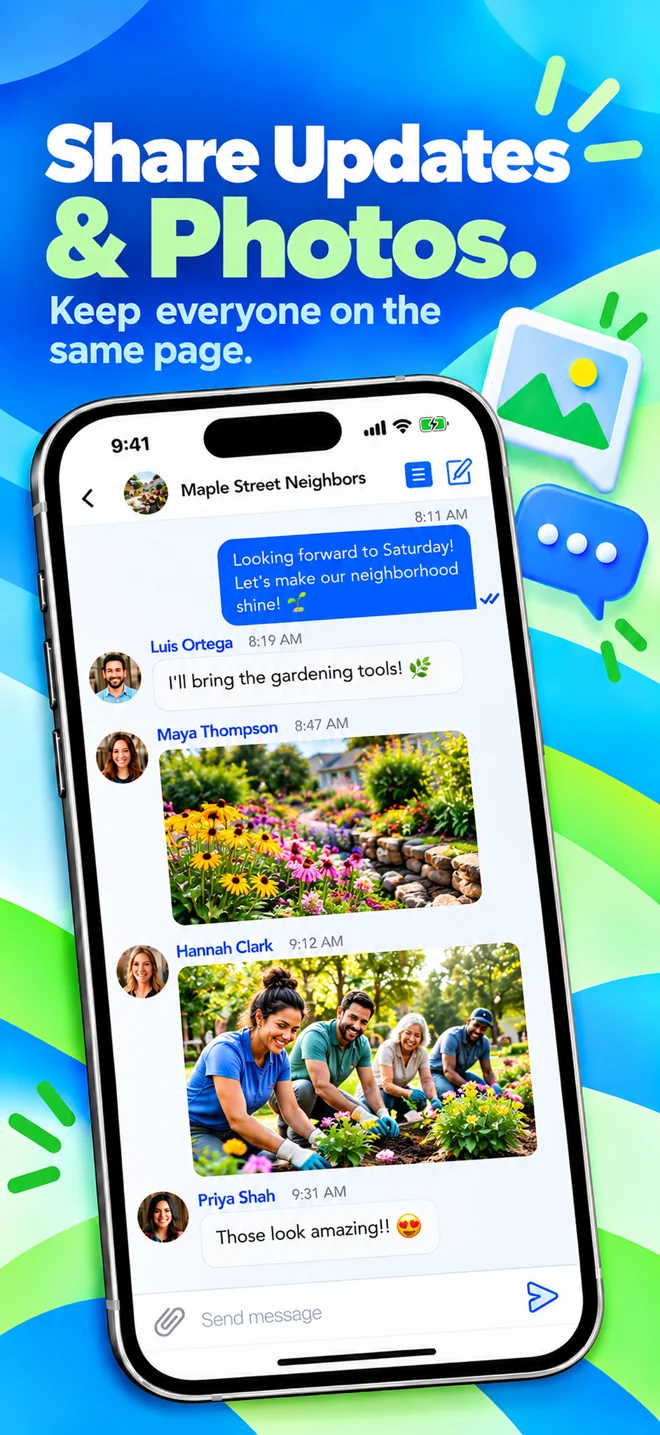
The calendar shows either all of your groups’ events or only the ones you’re attending. Members can chat and share links without exchanging phone numbers. Sending photos and files in chat is available with the optional Attachments upgrade.
Highlights
- Private, invitation-based groups
- Create group chats for different topics, like house chores or Bible study
- Events with Yes / Maybe / No RSVPs and optional spot limits
- Shared calendar with All Events and My Events views
- Event reminders and change notifications
- Chat without sharing phone numbers
Limitations
- The free version shows ads
- Sending photos and files in chat requires the optional Attachments upgrade
- Smaller community than BAND or GroupMe
- Fewer extra organizing tools than BAND
- iPhone and Android apps only, so members need to install the app
Pricing: Free to download and use. Optional in-app upgrades include an Ad-Free plan ($9.99/year) and Attachments for sending photos and files in chat ($4.99/year).
SameTeam Groups vs. SameTeam Events: They’re separate products with separate accounts. SameTeam Groups is our mobile app for ongoing, private groups. SameTeam Events is our web platform for RSVPs, signup sheets, potlucks, and volunteer scheduling, where guests respond from a link without creating an account or downloading an app.
Frequently asked questions
Which is better, GroupMe or BAND?
It depends on how your group communicates. GroupMe is better for fast, casual group chat. BAND is better for organized groups that need announcements, a calendar, polls, and attendance tools in one place. Both are free.
Is BAND free?
Yes. BAND is free for groups of any size. The free version shows ads, and optional in-app purchases include a 30-day ad-free pass and extra storage.
Is GroupMe free?
Yes. GroupMe is free and has no premium tier. Its only in-app purchases are optional extras like emoji packs.
Can GroupMe members still chat by text message?
Not anymore. In August 2026, GroupMe began winding down its two-way SMS service. Members now need the GroupMe app or GroupMe on the web to take part in group chats.
Can other members see my phone number?
Not by default in either app. GroupMe keeps your phone number and email private from other members, although it requires a phone number to sign up. BAND says members don’t need to share personal information like a phone number. In SameTeam Groups, members chat and share without exchanging phone numbers.
Which is better for a church small group?
GroupMe is simpler, and BAND is more organized. For a small group that mostly needs to chat and plan meetings, consider an app that keeps chat and a shared calendar together without extra tools, such as SameTeam Groups or BAND.
Do GroupMe and BAND work on a computer?
Yes. Both have iPhone and Android apps and a web version. SameTeam Groups is available on iPhone and Android only.
The bottom line
In the GroupMe vs BAND debate, there’s no wrong answer, just a different fit. Choose GroupMe if your group lives in the chat and wants something everyone already knows. Choose BAND if you need a well-organized group space with announcements, a calendar, and plenty of tools. And if your group is private and ongoing, and you want chat and event scheduling together without the extra complexity, SameTeam Groups is worth a try. It’s free on iPhone and Android.
SameTeam Groups
Keep your group on the same page
A free app for iPhone and Android. Create a private group, invite your people, and keep group chat, shared calendars, events, and RSVPs in one place. Optional in-app upgrades are available.

