
7 Best Apps for Group Communication and Scheduling
Compare BAND, GroupMe, Spond, TeamSnap, Cozi, TimeTree, and SameTeam Groups for group chat, shared calendars, and RSVPs, with honest pros, limitations, and pricing.
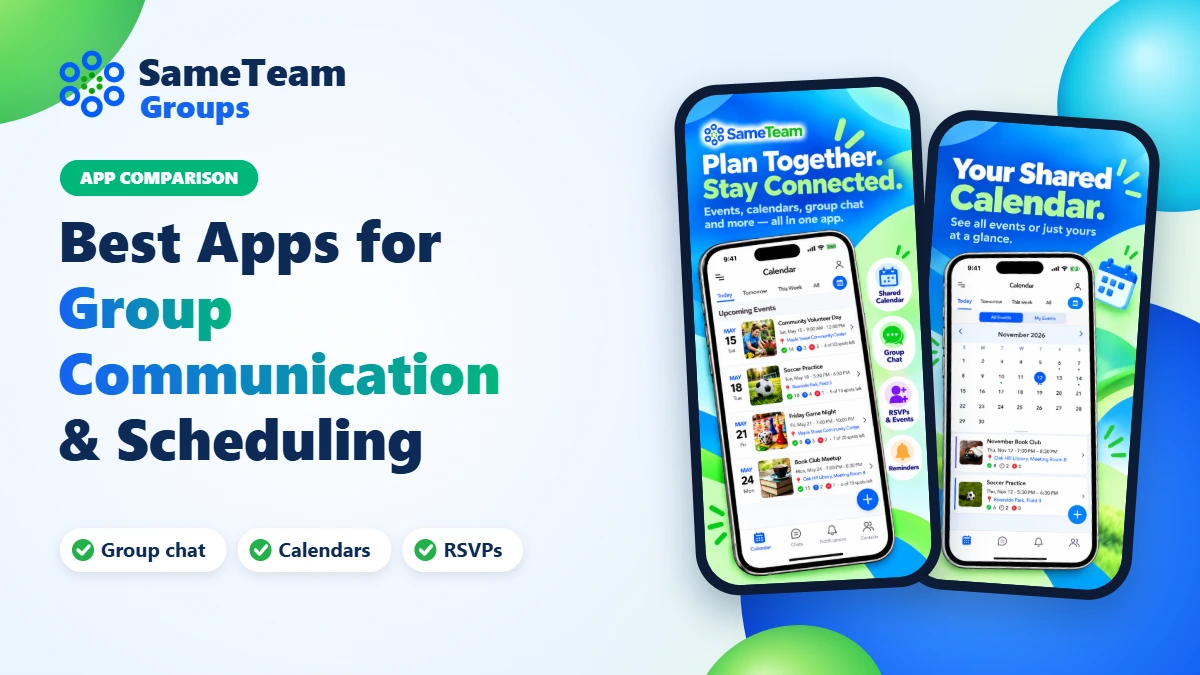
Quick answer: The best group communication app depends on what your group does most. BAND and GroupMe are free, well-known options for large communities and fast-moving chats. Spond and TeamSnap are built for sports teams and clubs. Cozi and TimeTree are shared calendars for families. SameTeam Groups is a simple option for private, invitation-only groups that want chat, a shared calendar, and event RSVPs together in one app.
Most groups start in a text thread. It works until it doesn’t: the Saturday start time gets buried under fifty replies, someone new never got the address, and nobody knows who’s actually coming. A group communication and scheduling app fixes that by keeping conversations, plans, and responses in one place everyone can check.
We compared seven popular apps for churches and small groups, clubs, families, volunteer teams, sports teams, and community organizations. For each one, you’ll find what it does well, where it falls short, what it costs, and which kinds of groups it suits best.
Full disclosure: SameTeam Groups is our app. We’ve included it because we think it’s a good fit for certain groups, and we’ve tried to describe every app, including ours, fairly. Prices and features were checked in November 2026 using each company’s website or app store listing. They can change, so confirm details before you commit.
Group communication apps compared
| App | Best for | Chat | Calendar | RSVPs | Cost |
|---|---|---|---|---|---|
| SameTeam Groups | Private, ongoing groups: small groups, ministries, clubs, volunteers, families | Yes | Yes | Yes, with spot limits | Free with ads; optional upgrades |
| BAND | Larger communities that want posts, polls, and lots of tools | Yes | Yes | Yes | Free with ads; optional purchases |
| GroupMe | Fast-moving group chats, campus and friend groups | Yes | Yes | Yes | Free |
| Spond | Sports teams, clubs, and youth activities | Yes | Yes | Availability | Free; fees when collecting payments |
| TeamSnap | Youth and recreational sports teams | Yes | Yes | Availability | Free single-team plan; paid options |
| Cozi | Family households | No | Yes | No | Free with ads; Gold $39/year |
| TimeTree | Families, couples, and friends sharing calendars | Comments only | Yes | Limited | Free with ads; Premium $44.99/year |
“Yes” means the feature is part of the app’s standard experience. Some apps add more advanced versions of these features in paid plans.
What to look for in a group communication app
Before comparing feature lists, think about how your group actually communicates. A few questions narrow the choice quickly:
- Is your group private or public? A small group, ministry team, or family usually wants invitation-only membership. A large community may want a group people can discover and join.
- Do plans get lost in the chat? If people keep asking “what time is it again?”, you need events and a shared calendar that live outside the message stream.
- Do you need a headcount? RSVPs and spot limits matter when you’re planning meals, rides, rooms, or volunteer shifts.
- Is it a sports team? Team apps add rosters, game schedules, availability, and sometimes payments. Most other groups don’t need those tools.
- Will everyone use the app? Every app on this list works best when members install it. If your group includes people who won’t download anything, consider how they’ll get updates.
- What does “free” include? Several apps are free with ads, with paid plans that remove ads or unlock extras. Check which features your group needs before choosing.
1. SameTeam Groups
Our app Best for: Private, ongoing groups that want chat, a shared calendar, and RSVPs in one simple app, such as church small groups, ministry teams, clubs, volunteer teams, neighbors, and families.
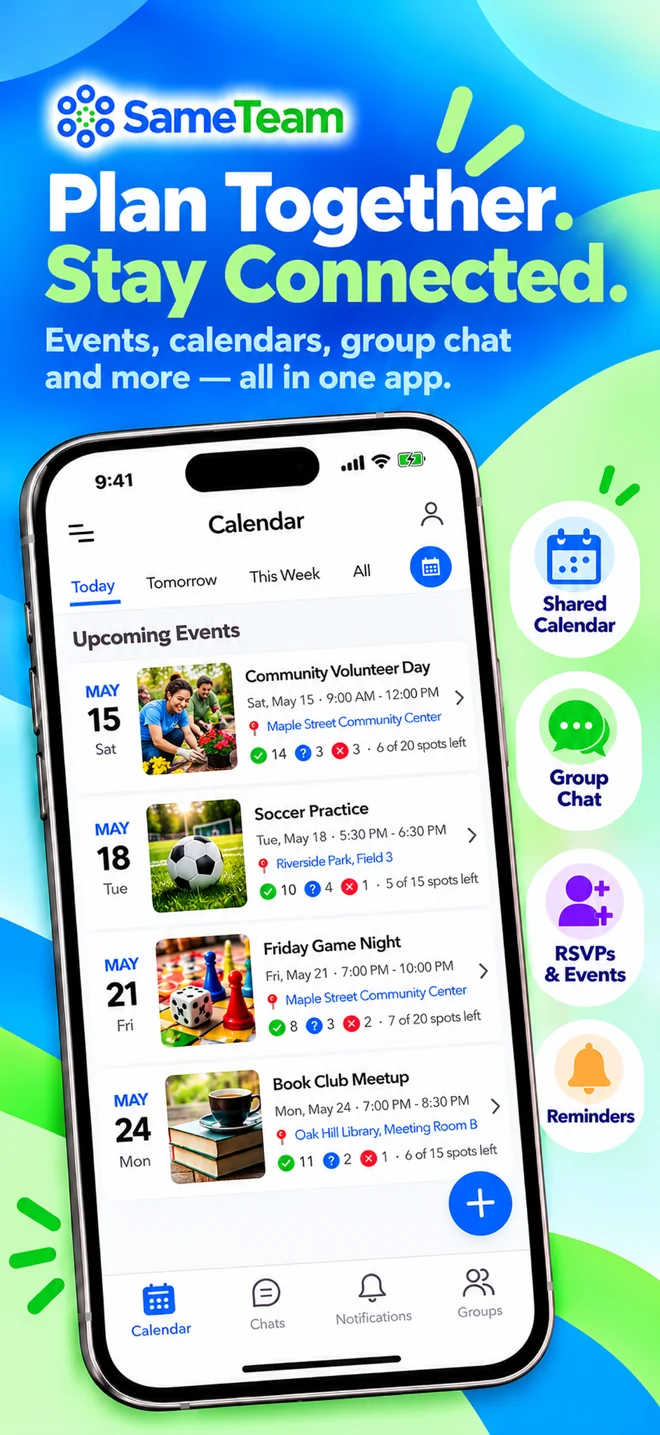
SameTeam Groups is a free iPhone and Android app for private groups. Members join by invitation, and each group gets its own chat, events, and shared calendar. When someone posts an event with a date, time, place, and details, it appears on the group calendar, and members respond Yes, Maybe, or No. If an event has limited space, such as seats in a car or spots on a serving team, you can set a limit and see how many spots are still open.
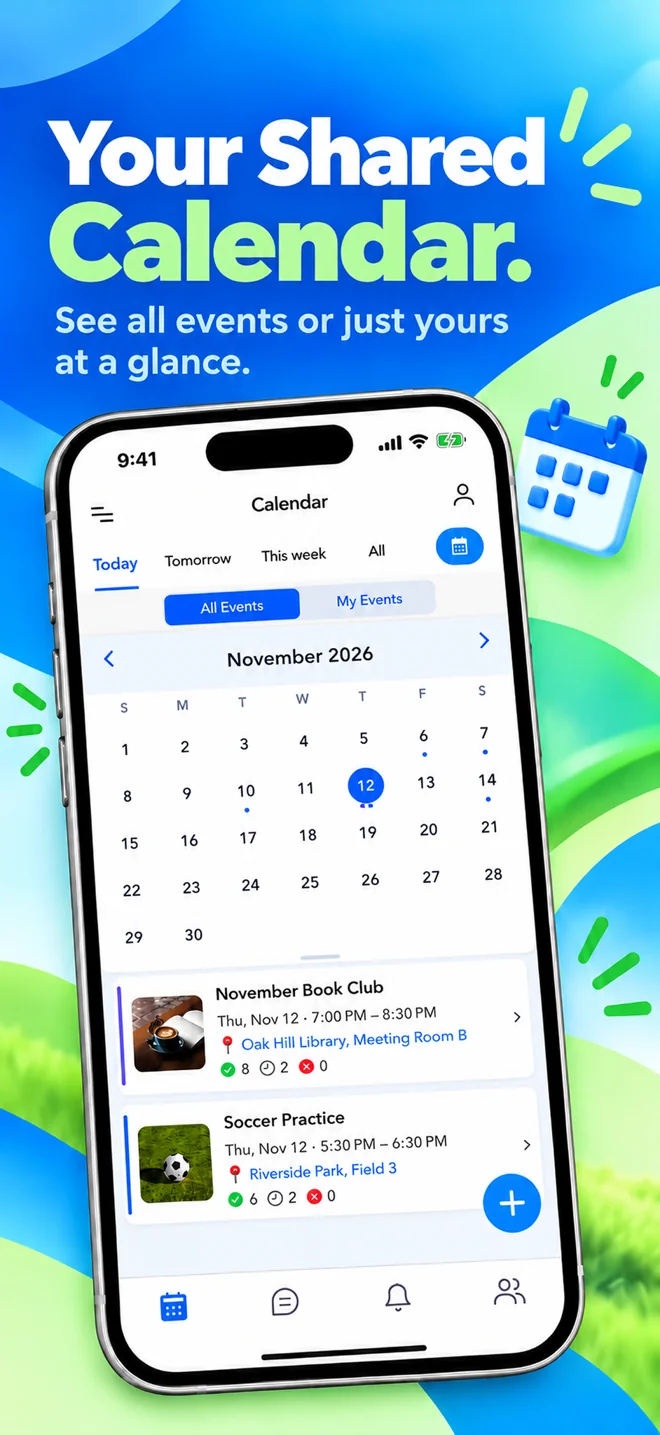
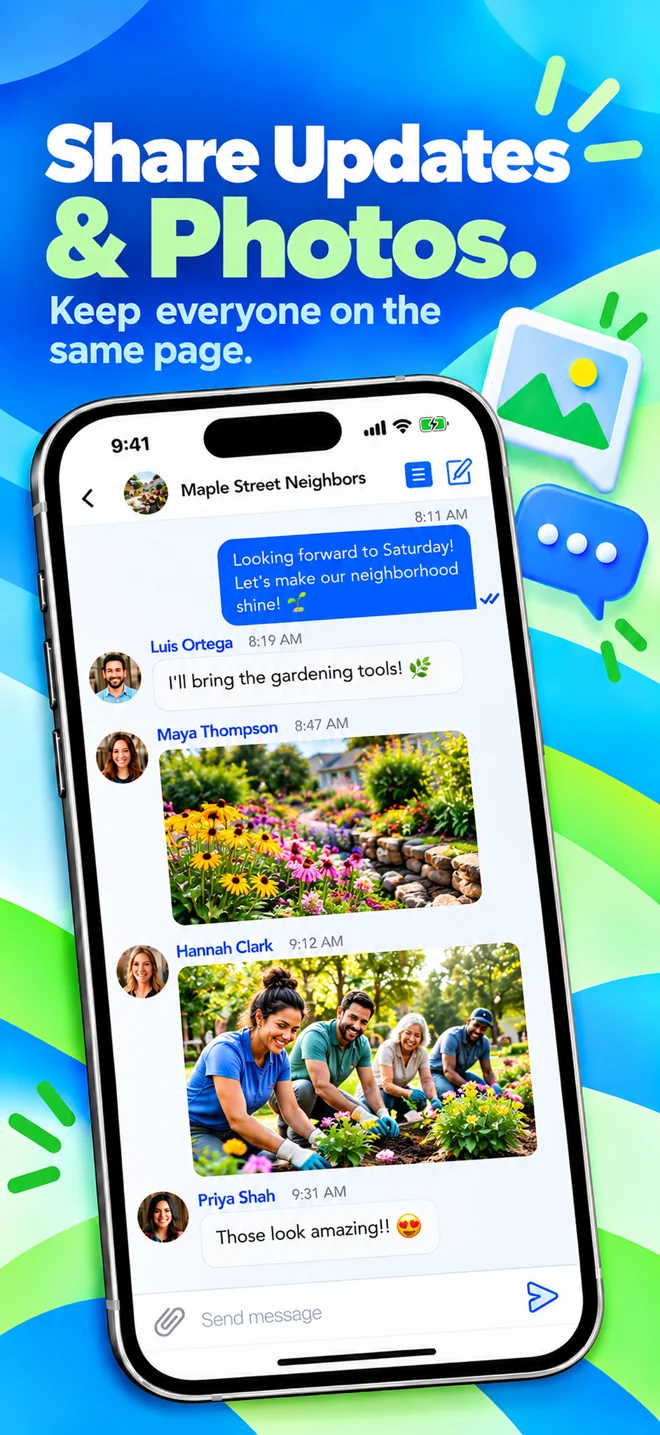
The calendar shows either all of your groups’ events or only the ones you’re attending, which is handy if you belong to several groups. Members can chat and share links without exchanging phone numbers. Sending photos and files in chat is available with the optional Attachments upgrade.
Highlights
- Private, invitation-based groups
- Create group chats for different topics, like house chores or Bible study
- Events with Yes / Maybe / No RSVPs and optional spot limits
- Shared calendar with All Events and My Events views
- Event reminders and change notifications
- Chat without sharing phone numbers
- All of your groups in one app
Limitations
- The free version shows ads
- Sending photos and files in chat requires the optional Attachments upgrade
- Smaller community than BAND or GroupMe
- No payment collection, fundraising, or sports-league tools
- iPhone and Android apps, so members need to install the app
Pricing: Free to download and use. Optional in-app upgrades include an Ad-Free plan ($9.99/year) and Attachments for sending photos and files in chat ($4.99/year).
SameTeam Groups vs. SameTeam Events: They’re separate products with separate accounts. SameTeam Groups is our mobile app for ongoing, private groups. SameTeam Events is our web platform for RSVPs, signup sheets, potlucks, and volunteer scheduling, where guests respond from a link without creating an account or downloading an app.
2. BAND
Best for: Larger communities, school activities, and organizations that want an all-in-one group space with lots of tools.
BAND, made by NAVER, gives each group its own space with a post board, group chat, and shared calendar. It’s free to use, whatever the size of your group. Beyond the basics, BAND includes polls, to-do lists that can work as simple signup sheets, attendance check-ins, photo and video albums, read receipts, and live streaming. Admins can limit who can post, comment, or start chats. BAND runs on iPhone, Android, and the web.
Highlights
- Free to use for groups of any size
- Post board for announcements, separate from chat
- Calendar with RSVPs and reminders
- Polls, to-do lists, and attendance tools
- Works on phones and computers
Limitations
- Shows ads unless you buy ad-free time
- The feed, chat, and many tools can feel like a lot for a small group
- Works best when every member creates an account
- More of a community hub than a simple planning app
Pricing: Free, with ads. Optional in-app purchases include a 30-day ad-free pass and extra storage.
3. GroupMe
Best for: Busy group chats, such as college groups, friend groups, and casual teams that mostly need to talk.
GroupMe, owned by Microsoft, is a group messaging app that’s completely free, with no premium tier. Groups can create polls and calendar events with RSVPs. In 2026, GroupMe added recurring events and a personal calendar that gathers every event you’ve been invited to across your groups. It also offers topics for side conversations. In August 2026, GroupMe began winding down its two-way SMS service, so members now need the app or GroupMe on the web.
Highlights
- Completely free
- Familiar, chat-first experience
- Events, RSVPs, recurring events, and polls
- Works on iPhone, Android, and the web
Limitations
- In busy chats, important details can scroll out of view
- Fewer organizing tools than BAND or team apps
- Two-way SMS chat is being phased out, so members need the app or web version
Pricing: Free.
4. Spond
Best for: Sports teams, clubs, and youth activities, especially groups that collect fees.
Spond is a free app for organizing teams and groups. It handles single and repeating events, season planning, availability, messaging, and subgroups. Spond also lets groups collect payments and run fundraisers in the app, which is how the company earns money: it charges fees on payments rather than a subscription. Clubs can use Spond Club for member management and club-wide administration.
Highlights
- Free core app with no subscription
- Repeating events and season planning
- Availability tracking for practices and games
- Built-in payments and fundraising
Limitations
- Designed mainly around sports clubs and activities
- Transaction fees apply when you collect money
- More structure than a casual small group needs
Pricing: Free to use. When a group collects money through Spond, a transaction fee applies (in the U.S., 3.29% + $1.00 per item, according to Spond’s help center).
5. TeamSnap
Best for: Youth and recreational sports teams, plus clubs and leagues that need registration and payments.
TeamSnap is one of the best-known team management apps. A single team can use TeamSnap Classic for free to manage rosters, schedules, availability, and team messages. Optional paid add-ons unlock extras such as custom highlights and training content. Clubs and leagues can use TeamSnap ONE, which adds registration and payments and is priced through TeamSnap’s sales team.
Highlights
- Purpose-built for sports teams
- Rosters, schedules, and availability
- Free plan for single teams
- Club and league tools available
Limitations
- Sports features don’t fit most non-sports groups
- Club and league pricing requires a quote
- Some features require paid options
Pricing: Free for single teams. Paid add-ons are optional, and club and league pricing is custom.
6. Cozi
Best for: Families who want one shared calendar plus shopping and to-do lists.
Cozi is a family organizer built around a shared calendar, to-do lists, shopping lists, and recipes. Everyone in the family uses one account, on any device. The free version has ads. Cozi Gold removes ads and adds features like a mobile month view, calendar search, multiple reminders per event, change notifications, and a birthday tracker. Cozi Max adds AI tools for event import and meal planning.
Highlights
- Simple shared family calendar
- Shopping lists, to-dos, and recipes
- One subscription covers the whole family
Limitations
- Designed for a household, not community groups
- No group chat or event RSVPs
- The free version has ads
Pricing: Free with ads. Cozi Gold is $39/year, and Cozi Max is $79/year.
7. TimeTree
Best for: Families, couples, and friend groups who mainly need shared calendars.
TimeTree is a shared calendar app. You can create several calendars, such as one for family and one for a club, and invite people to each. Members can comment on events and add photos, so conversations stay attached to the plan. TimeTree Premium removes ads and adds file attachments, an hour-by-hour calendar view, pinned priority events, and dedicated support.
Highlights
- Easy-to-share calendars for different groups
- Comments and photos on events
- Import other calendars
Limitations
- Calendar-first, so there’s less room for general group conversation
- Limited tools for tracking who’s coming
- The free version has ads
Pricing: Free with ads. Premium is $4.49/month or $44.99/year (U.S. pricing).
How to choose the right app for your group
Church small groups and ministry teams
Look for private, invitation-only groups, a calendar that keeps meeting times and serving dates in view, and RSVPs so hosts know how many to expect. SameTeam Groups is designed for this kind of ongoing, close-knit group. BAND is a strong choice if you want announcements, polls, and a larger community space.
Clubs, volunteer teams, and community organizations
If your group meets regularly and needs to know who’s coming, choose an app with events, RSVPs, and spot limits rather than chat alone. SameTeam Groups and BAND both cover this. If you need volunteers to sign up for specific shifts or bring specific items, a signup tool such as SameTeam Events may work better, since volunteers can respond without downloading an app.
Families
For a household calendar with shopping and to-do lists, Cozi is purpose-built. For extended family or friends spread across several groups, TimeTree’s shared calendars or SameTeam Groups’ private groups with chat and events are good options.
Sports teams
Choose a team app. Spond and TeamSnap both handle schedules and availability, and they support payments for clubs that collect fees.
Friend groups and casual chats
If your group mostly talks and only occasionally plans, GroupMe is a familiar, free choice. If plans keep getting buried, move them into an app with a shared calendar.
Frequently asked questions
What is the best free app for group communication?
BAND and GroupMe are free to use and work well for large groups (BAND shows ads unless you buy ad-free time). SameTeam Groups is free to download and use, with ads and optional upgrades, and is a good fit for private groups that want chat, a shared calendar, and RSVPs in one place. The best choice depends on whether your group needs mostly chat, mostly a calendar, or both.
Which group app has a shared calendar and RSVPs?
SameTeam Groups, BAND, GroupMe, Spond, and TeamSnap all include shared calendars with event responses. Cozi and TimeTree focus on shared calendars and don’t center on RSVPs.
What is a good app for church small groups?
Look for private groups, a shared calendar for meetings and serving dates, RSVPs, and simple chat. SameTeam Groups and BAND are both popular options. If you also run church events that need signups, such as meal trains or potlucks, a web-based tool where people can respond without an app may help.
Is there a GroupMe alternative with better scheduling?
If plans get lost in your GroupMe chat, consider an app where events and a shared calendar sit alongside the chat. SameTeam Groups, BAND, and Spond all keep events and responses separate from the message stream.
Do all group members need to download the app?
For the apps in this guide, members get the best experience by installing the app and creating an account. BAND, GroupMe, and Cozi can also be used on a computer. GroupMe began phasing out its two-way SMS chat in August 2026, so text-only participation is no longer available.
What’s the difference between SameTeam Groups and SameTeam Events?
SameTeam Groups is a free mobile app for private, ongoing groups with chat, calendars, events, and RSVPs. SameTeam Events is a separate web platform for event RSVPs, signup sheets, and volunteer scheduling, where guests respond from a link without an account or app. They use separate accounts.
The bottom line
There’s no single best app for every group. For a large, public-facing community, BAND or GroupMe are free and capable. For sports, Spond and TeamSnap are built for the job. For a family calendar, Cozi and TimeTree keep things simple. If your group is private and ongoing, and you want chat, a shared calendar, and RSVPs without extra complexity, SameTeam Groups is worth a try. It’s free on iPhone and Android.
SameTeam Groups
Keep your group on the same page
A free app for iPhone and Android. Create a private group, invite your people, and keep group chat, shared calendars, events, and RSVPs in one place. Optional in-app upgrades are available.

