
Volunteer Signups, Shifts & Scheduling Made Simple
Create volunteer sign-up sheets, fill shifts and roles, collect RSVPs, and see what still needs coverage—all with one simple link. No volunteer accounts, app downloads, or ads.
✓ No Guest Accounts
✓ No App Downloads
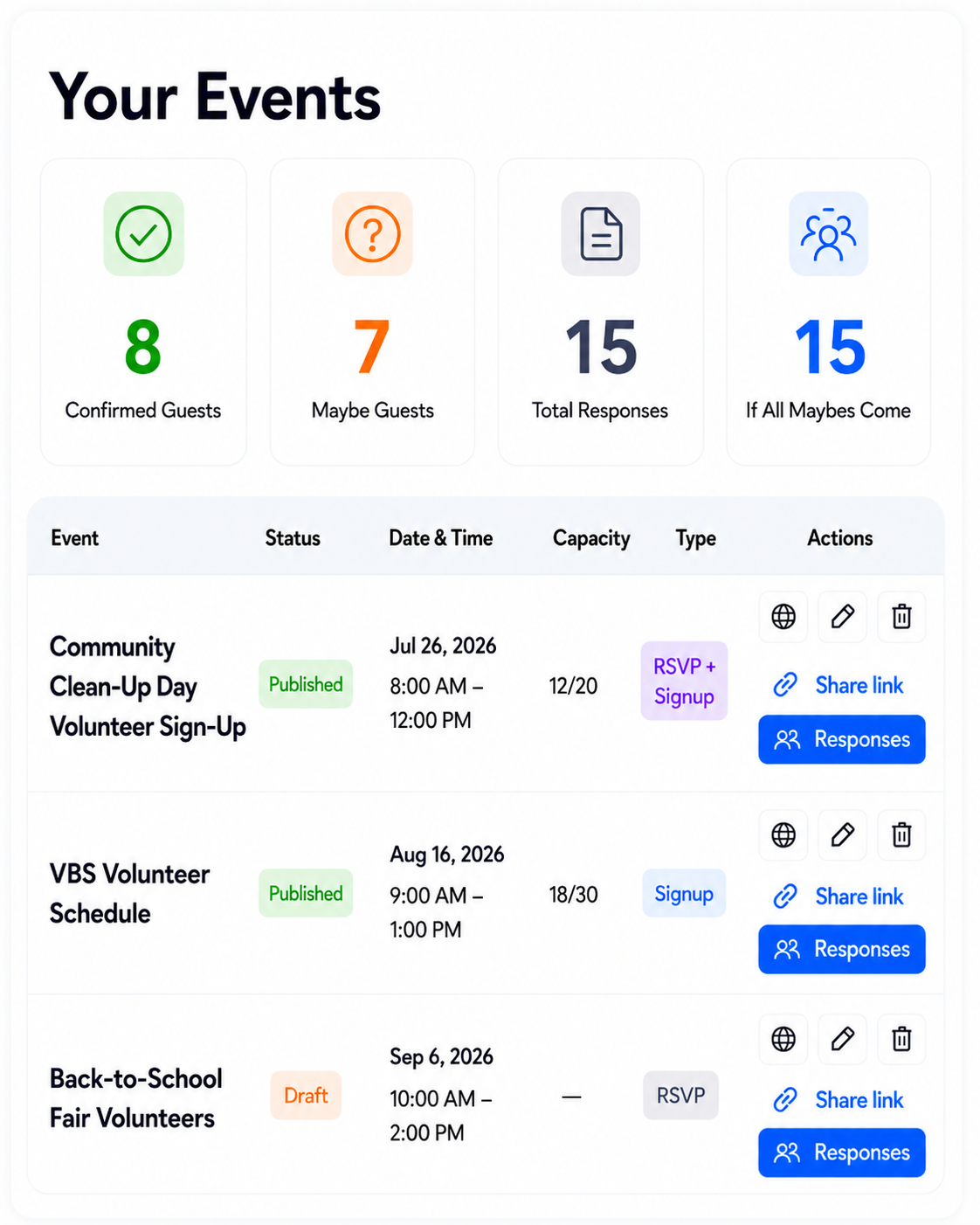
Volunteer coordination already takes enough effort.
Stop piecing together signup sheets, spreadsheets, reminder emails, and event details. SameTeam keeps shifts, roles, responses, and supplies together so you can focus on the people and purpose—not chasing coverage.
Choose What Your Volunteer Event NeedsRSVPs, Signups—or Both
Use SameTeam for attendance, volunteer shifts and roles, or both together in one simple event.Choose exactly what your volunteer event needs.
Collect clear RSVPs without chasing replies.
Volunteers choose Yes, Maybe, or No, add their party size when needed, and update their response from their personal link.
Make shifts and volunteer roles easy to understand.
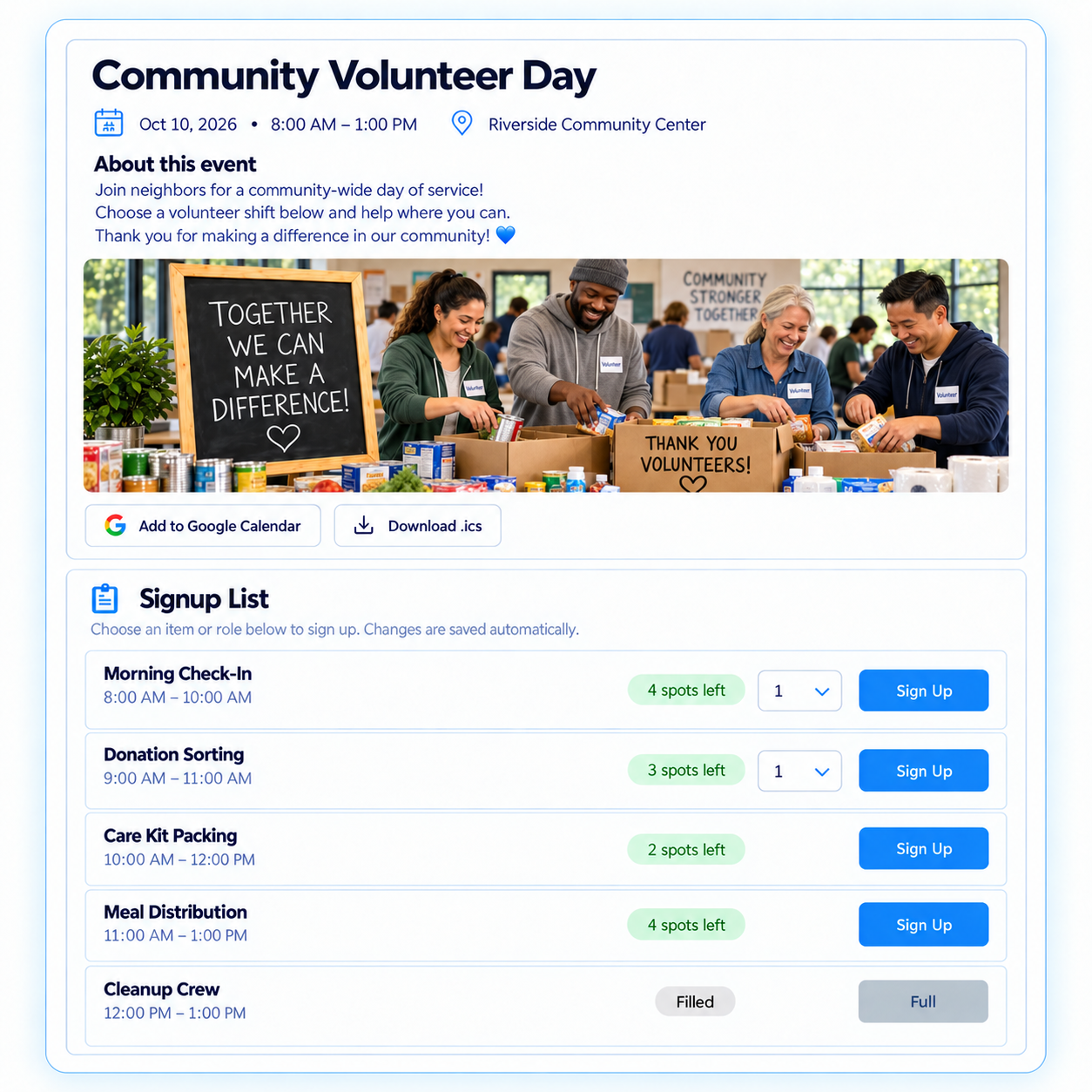
Show available time slots, roles, supplies, and quantities so volunteers can choose exactly how they want to help.
Connect attendance and signups in one event.
Volunteers can RSVP and choose shifts, roles, or supplies from the same link—without creating an account.
How It Works
Create your volunteer event, add shifts, roles, or supplies, share one link or QR code, and track coverage as the date gets closer.
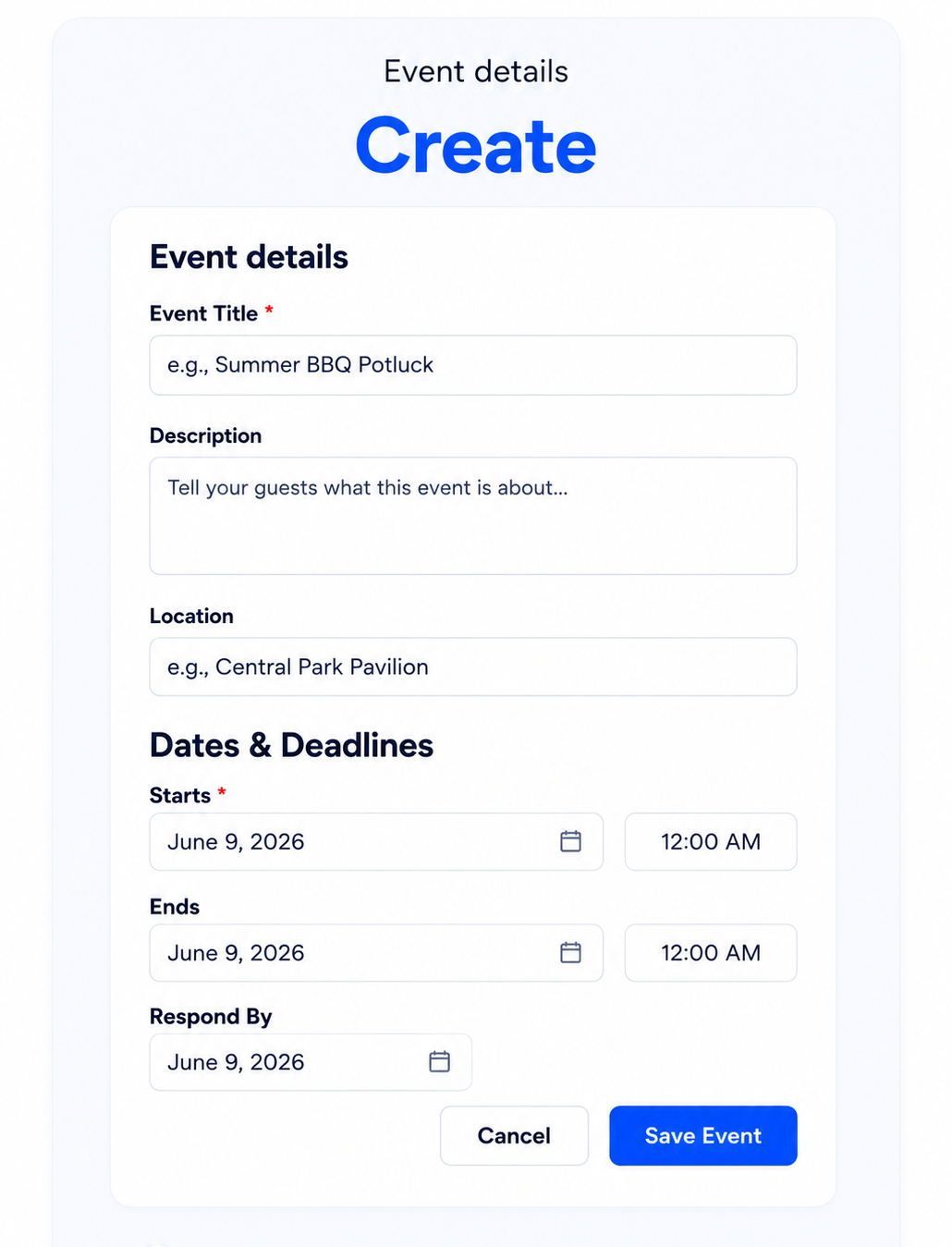
1 Create Your Volunteer Event
Add event details, shifts, roles, items, and quantities. Use RSVPs, signups, or both.
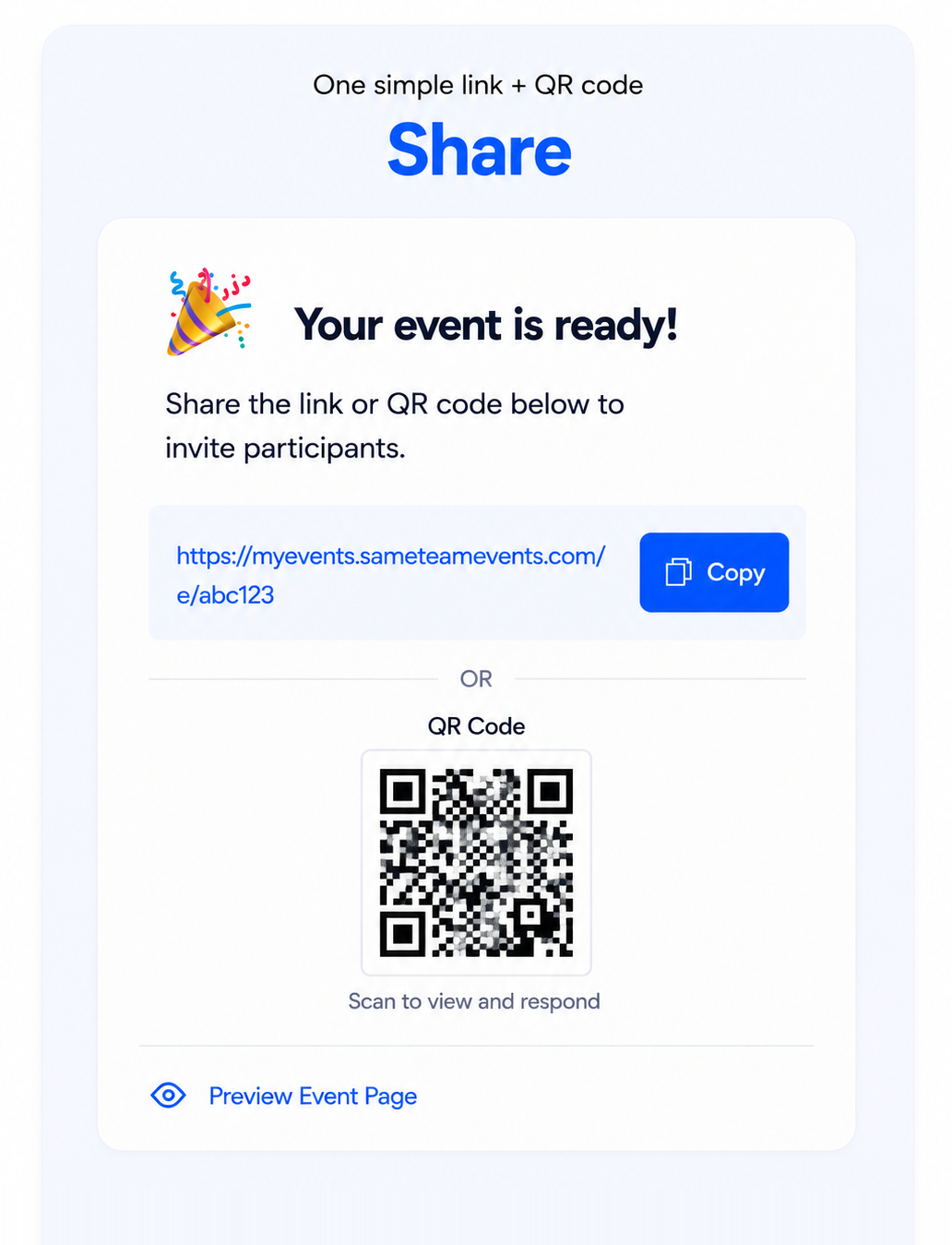
2 Share One Link
Share it by email, text, bulletin, newsletter, flyer, or QR code. Volunteers respond without accounts or app downloads.
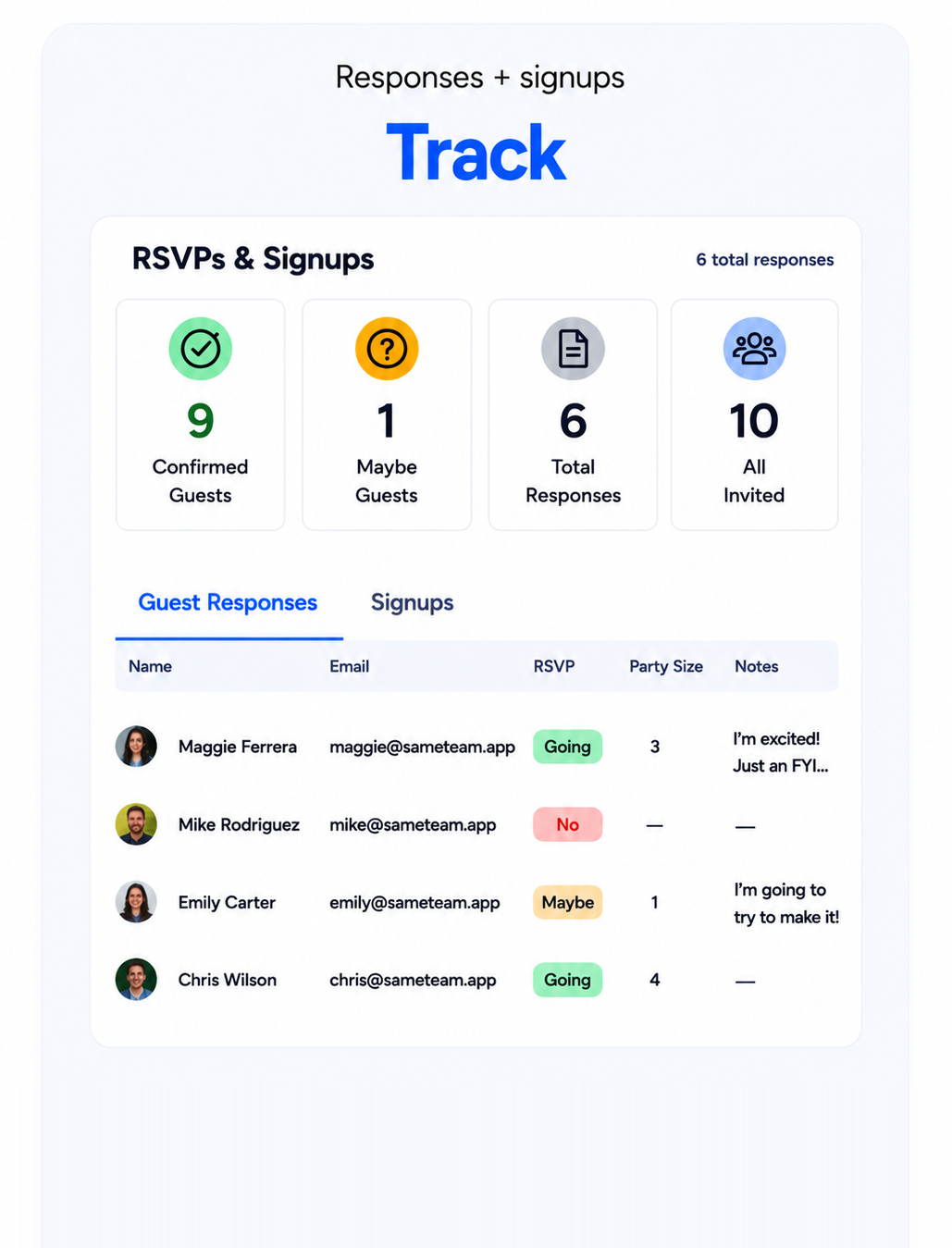
3 Collect, Remind & Show Up
Track responses, open roles, and coverage from your private dashboard, then send unlimited reminders.
One dashboard for you. One simple link for every volunteer.
Track RSVPs, volunteer shifts, open roles, supplies, reminders, and participant updates in one place—without requiring volunteers to create accounts or download an app.
Stay on top of every detail
- Track Yes, Maybe, and No responses, party sizes, and notes
- Set event capacity and response deadlines
- Manage volunteer roles, shifts, supplies, and quantities
- See “Remaining” and “Full” status at a glance
- Send unlimited reminders from your private dashboard
Simple from the first click
- RSVP or choose a shift or role from one link
- No accounts or app downloads
- Receive a confirmation email and personal update page
- Add the event to their calendar
- No ads, and contact information isn’t public
Ready to make volunteer coordination easier? Create your first event free—no credit card required.
Volunteer signup software for every kind of organizationMade for volunteer organizers like you
From churches and nonprofits to schools, sports teams, community groups, and event committees.Simple tools for every kind of volunteer event.
Sports Team Volunteers
Organize concessions, snacks, scorekeeping, setup, cleanup, and tournament help.
Concessions & team help
Community Groups
Plan neighborhood cleanups, food drives, festivals, and service projects.
Cleanups & projects
Event Committees
Cover check-in, hospitality, parking, setup, teardown, and backstage roles.
Event roles & coverage
Simple Pricing
Your first volunteer event is free. Volunteers always participate for free.
Unlimited events. Unlimited participants. Unlimited reminders.
Create and manage volunteer events all year long. Cancel anytime.
Organizer
Everything you need to organize events all year long.
- Unlimited events
- Unlimited participants
Pro
Additional tools for organizations managing more.
- Everything in Organizer
- Event Hub — one page for multiple volunteer events
Frequently Asked Questions
Answers to common questions about volunteer signup software, shift scheduling, reminders, privacy, and participation.
Is SameTeam free for volunteer events?
Yes. Your first volunteer event is free with no credit card required. Volunteers always participate for free, and every event can include unlimited participants.
Do volunteers need a SameTeam account?
No. Volunteers can RSVP, choose a shift or role, and review event details directly from the link you share—no account, app download, or password required.
Can I create shifts, roles, and supply signups?
Yes. Add volunteer roles, time-based shifts, requested items, and quantities to one event. SameTeam shows how many openings remain and marks a role or item “Full” when it is filled.
Can I combine RSVPs with volunteer signups?
Yes. Create an RSVP-only event, a signup-only event, or combine attendance with volunteer shifts, roles, and supplies in one event. Participants use the same link for everything.
What is an Event Hub?
An Event Hub gives you one shareable page for multiple volunteer opportunities, service days, or shifts. Choose which events to include, then share one Hub link so volunteers can easily find the events they need.
Can volunteers update their signups and receive reminders?
Yes. Each participant receives a confirmation email with a personal page for reviewing or updating a response before your deadline. Organizers can send unlimited reminders, and every published event includes a shareable link and QR code.
How is SameTeam different from a basic volunteer signup sheet?
SameTeam keeps RSVPs, volunteer shifts, open roles, supplies, reminders, and event details together in one private dashboard. Volunteers do not need accounts or app downloads, and there are no ads or public attendee lists. See our volunteer signup sheet guide for planning tips.
Ready to make volunteer coordination easier?
Create your first volunteer event free. Volunteers don’t need accounts, apps, or logins.
SameTeam is family-owned and built alongside the organizers who use it.